 EasyTicket
 Chuseok 2026 falls on Friday, September 25, with the holiday running from Thursday, September 24 through Saturday, September 26. As of August 6, Korail hasn’t yet announced the Chuseok train ticket booking schedule — but this year there’s something else you need to take care of before that schedule even drops. KTX and SRT have merged into a single app called ‘Korail+,’ and the booking channel itself has changed for anything running in September.
📌 What’s Confirmed So Far, and What Isn’t
Let’s start with the dates. Chuseok itself falls on Friday, September 25, 2026, and the official public holiday runs September 24-26 (Source: Korea AeroSpace Administration’s 2026 calendar). That stretch runs right into Sunday the 27th, making it a 4-day holiday — and since the holiday falls on Thursday, Friday, and Saturday without overlapping a Sunday, there’s no substitute holiday this time.
The Chuseok train ticket booking date, on the other hand, hasn’t been announced yet. I checked through Korail’s press release list myself, and as of August 6 there’s no notice about Chuseok booking. Instead, looking at the schedule for the most recent holiday, Seollal 2026, gives a sense of the pattern.
| Category | 2026 Seollal Actual Schedule |
|---|---|
| Booking announcement | January 7 |
| Priority booking for those with mobility needs | Jan 15-16, 9:00 AM-3:00 PM |
| General public booking | Jan 19-21, 7:00 AM-1:00 PM (3 days) |
| Payment window | Jan 22, 12:00 AM - Jan 25 (Jan 28 for priority bookings) |
| Travel period covered | Feb 13-18 |
Since the Seollal holiday started on February 16, booking opened about a month before the holiday. If the same interval holds, Chuseok booking is likely to fall in late August — but that’s purely a projection based on past scheduling, so you’ll need to confirm the actual date through Korail’s official announcement.
🚄 Why This Year Is Different — September Trains Are Korail+ Only
This is the biggest change. The integrated app ‘Korail+’ launched at 9 AM on August 3, and tickets for the newly unified trains running from September 1 onward became bookable starting 10 AM on August 5, through Korail+ or the Korail website (Source: Korea Railroad Corporation). For trains running through August 31, you can still book the old way — KTX through Korail Talk, SRT through the SRT app.
Every Chuseok train falls within that September window. In other words, Korail+ or the Korail website will be the default channel for booking this Chuseok’s train tickets. For reference, seats departing from and arriving at Suseo Station have increased by about 30% since the merger, giving travelers heading home from the Gangnam area a few more options.
If you’ve only ever used the SRT app, pay extra attention this time. Booking will still work in the old SRT app for a while, but Korail+ is the official channel for the unified trains running in September. This year’s most common way to fail is going to be scrambling to install a new app on booking day and missing the start time.

✅ Checklist to Finish Before Booking Day
Holiday tickets are booked remotely, and only for registered rail members. If your account isn’t ready, no amount of frantic clicking will save you.
- Install Korail+, or update Korail Talk to the latest version
- Confirm your integrated membership conversion — Korail members are converted automatically; SR members, or anyone registered with both, need to go through a separate conversion process
- Actually log in successfully with your ID and password (resetting your password on the day itself will be too late)
- Register a payment method or simple-pay option
- Note your departure/arrival stations and preferred times — have a plan A, B, and C
If you’re traveling with two or more people, decide in advance whether you need adjoining seats. Thirty seconds of hesitating in front of the screen is all it takes to watch the tickets sell out.
⏱ On Booking Day, Here’s the Click-As-Fast-As-You-Can Order
Going by Seollal, general public booking started at 7 AM. Since it’s a race against the clock, the golden rule is to time yourself by the official standard time, not your phone’s clock. A 1-2 second difference can decide your place in the queue.
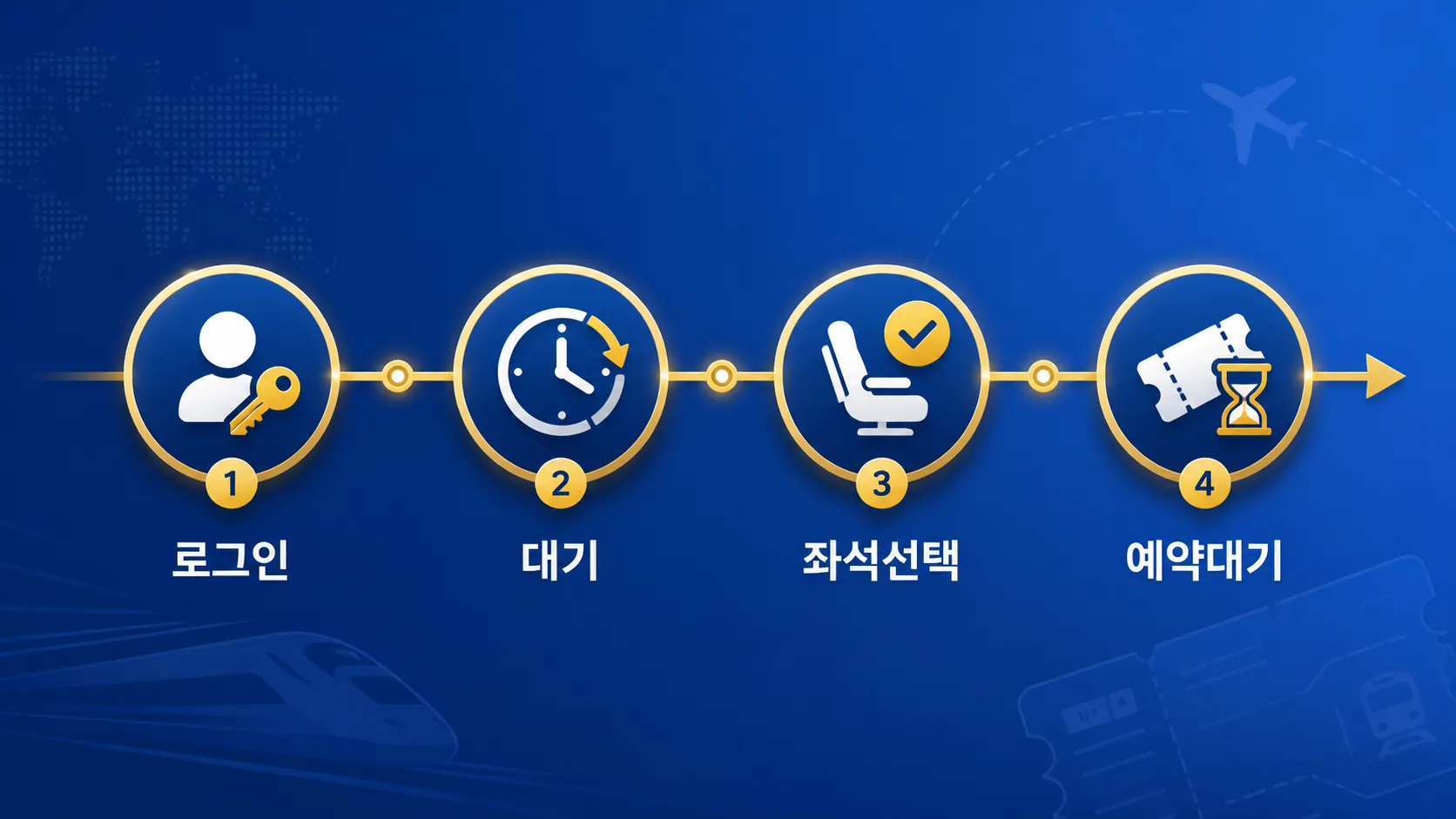
- 5-10 minutes before the start, check that you’re still logged in (watch out for automatic logouts)
- Right at the start time, enter the dedicated holiday booking page — don’t leave the queue, and repeatedly refreshing only sets you back
- Move through date/route selection, then passenger count, then seats, without stopping
- If plan A isn’t available, move straight to plan B’s time slot without hesitating, then on to standing-room or unreserved seats
- If there’s still nothing, join the waitlist — as cancellations come in, they’re assigned to waitlisted applicants in order
💰 Payment Deadlines and Cancellation Penalties — This Is Where Tickets Slip Away
Successfully booking isn’t the end of it. For Seollal, payment opened at midnight on January 22, with general bookings due by January 25 and priority bookings for those with mobility needs due by January 28 — and missing the deadline meant automatic cancellation. Chuseok is very likely to come with its own separate payment deadline in the same style.
Here’s how the cancellation penalty breaks down during the holiday period.
| When You Cancel | Penalty |
|---|---|
| From 1 month before departure to 2 days before | 400 KRW |
| 1 day before departure | 5% |
| Departure day, up to 3 hours before | 10% |
| From 3 hours before departure to departure time | 20% |
| After departure (station counter only) | 30-70% |
If your plans are looking shaky, canceling by two days before departure is the only window where you get off with just 400 won. I got tripped up doing this math myself at first, but it’s simple once you remember the clock starts from the train’s departure time, not your booking date.
🔍 Frequently Asked Questions (FAQ)
Can I still book Chuseok train tickets through Korail Talk or the SRT app?
Since Chuseok trains all run in September, Korail+ and the Korail website are the default channels. The booking feature still exists in the old apps, but for the unified trains running from September 1 onward, you’re directed to book through Korail+.
I’m only registered with SRT — do I need to do anything extra?
Yes, you’ll need to go through the integrated membership conversion yourself. If you were only registered with Korail, the conversion happens automatically and you can just log in — but SR members, or anyone registered with both, need to complete identity verification as part of the conversion. You can’t skip this step if you want to carry over your discount coupons or purchase history.
What happens if I book but don’t pay?
It’s automatically canceled once the set payment deadline passes. For Seollal, the payment start date and deadline were both announced separately, and unpaid bookings were simply released back. It’s safest to jot down the payment deadline in your calendar the moment you successfully book.
When do canceled tickets become available again?
Right after the payment deadline, unpaid bookings are released all at once, and after that, individual cancellations trickle in from time to time. Instead of refreshing endlessly, joining the waitlist gets you assigned tickets in order as they come up.
This year, what really decides your Chuseok train ticket booking isn’t split-second reflexes at the start time — it’s having your account and app sorted out the day before. Just installing Korail+ and completing the integrated membership conversion ahead of time puts you ahead at the starting line. Once the official booking date is announced, clear your morning schedule for that day.