 EasyTicket
 If you register for Incheon Airport Smart Pass ahead of time before heading abroad for summer vacation, you can use the dedicated departure lane. As of July 2, 2026, we checked and put together everything on the Smart Pass registration steps, what to prepare, and the T1/T2 departure hall locations.
✅ Bottom line first: what Smart Pass can cut down on
It’s a facial-recognition service
Incheon Airport Smart Pass lets you register your passport, facial data, and boarding pass in advance, then pass through the departure hall and select boarding gates using facial recognition. That said, your passport and boarding pass can’t go in your baggage — you need to carry them with you.
Office workers should register the night before
During summer vacation peak season, airport wait times are unpredictable. If you set aside about 10 minutes the night before to register in the app, you can focus more on airline check-in and baggage handling on the day of departure.
If you’re departing early morning, it’s easier to register at home the night before rather than after arriving at the airport. You’ll need to register your boarding pass again every time you fly.
📌 How to register for Smart Pass: app vs. kiosk vs. banking app
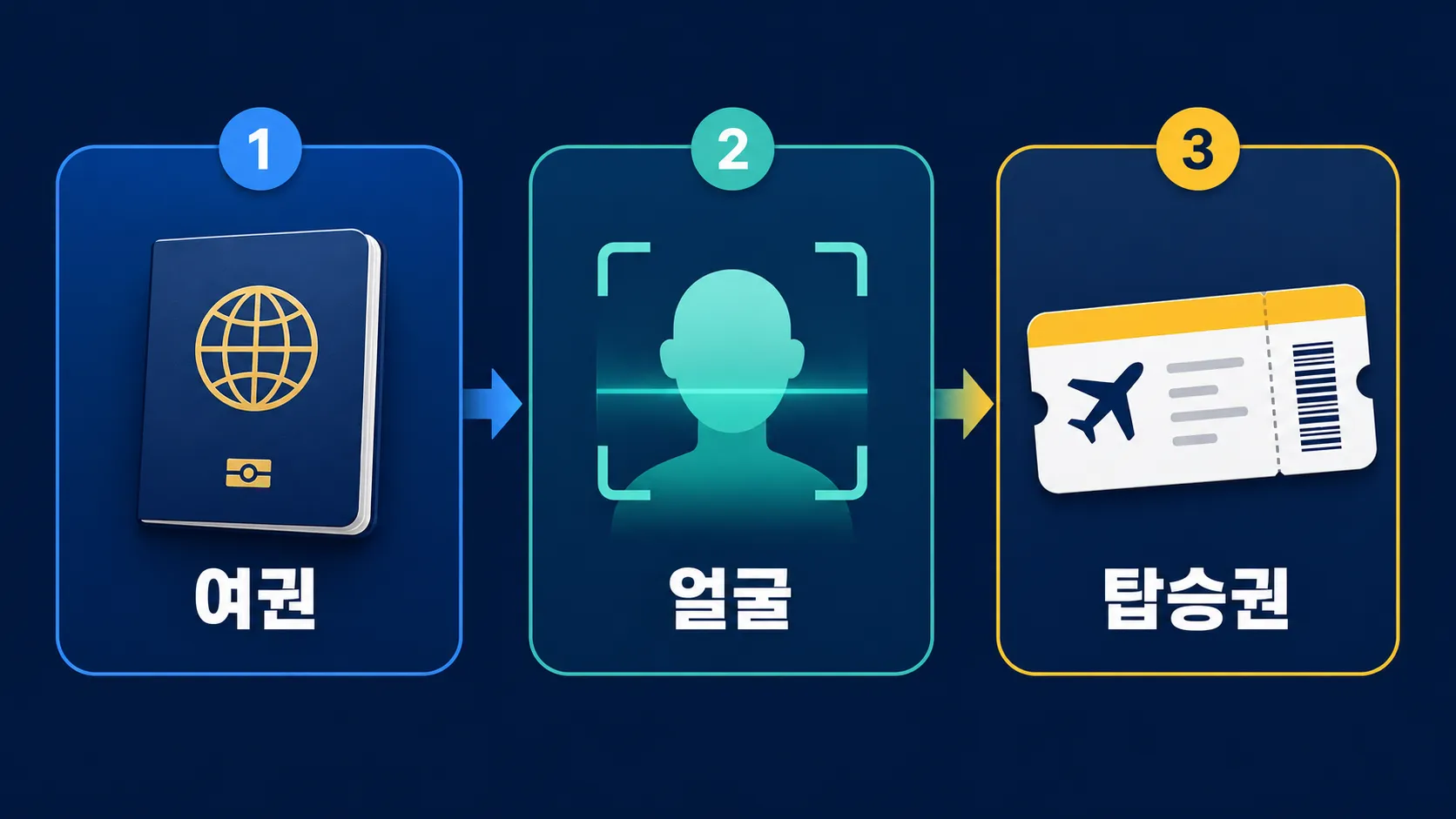
Registering through the app
The most basic way to register is through the Incheon Airport Smart Pass app. The order is passport scan → face registration → boarding pass registration. Your facial data ID is valid for 5 years once registered, but if you get a new passport, you’ll need to register your ID again.
Registering at an airport kiosk
If you’ve already arrived at the airport, you can also register at a self check-in kiosk. At the kiosk, the order is start face registration → passport scan → face registration → boarding pass registration. That said, if you rush through it right before the departure hall, the lines can overlap.
Registering through a banking app
You can also register your Smart Pass ID through the KB Star Banking, Toss, Shinhan SOL Bank, Woori WON Banking, and Hana Bank apps. If you’re already comfortable navigating your regular banking app, this saves you from installing an extra app.
| Registration method | What you need | Key point |
|---|---|---|
| Smart Pass app | Passport, face, boarding pass | Best for registering the night before |
| Self check-in kiosk | Passport, face, boarding pass | Can register after arriving at the airport |
| Banking app | Passport, face | Useful for ID registration |
🎯 Comparing departure hall locations: where do you go, T1 or T2?
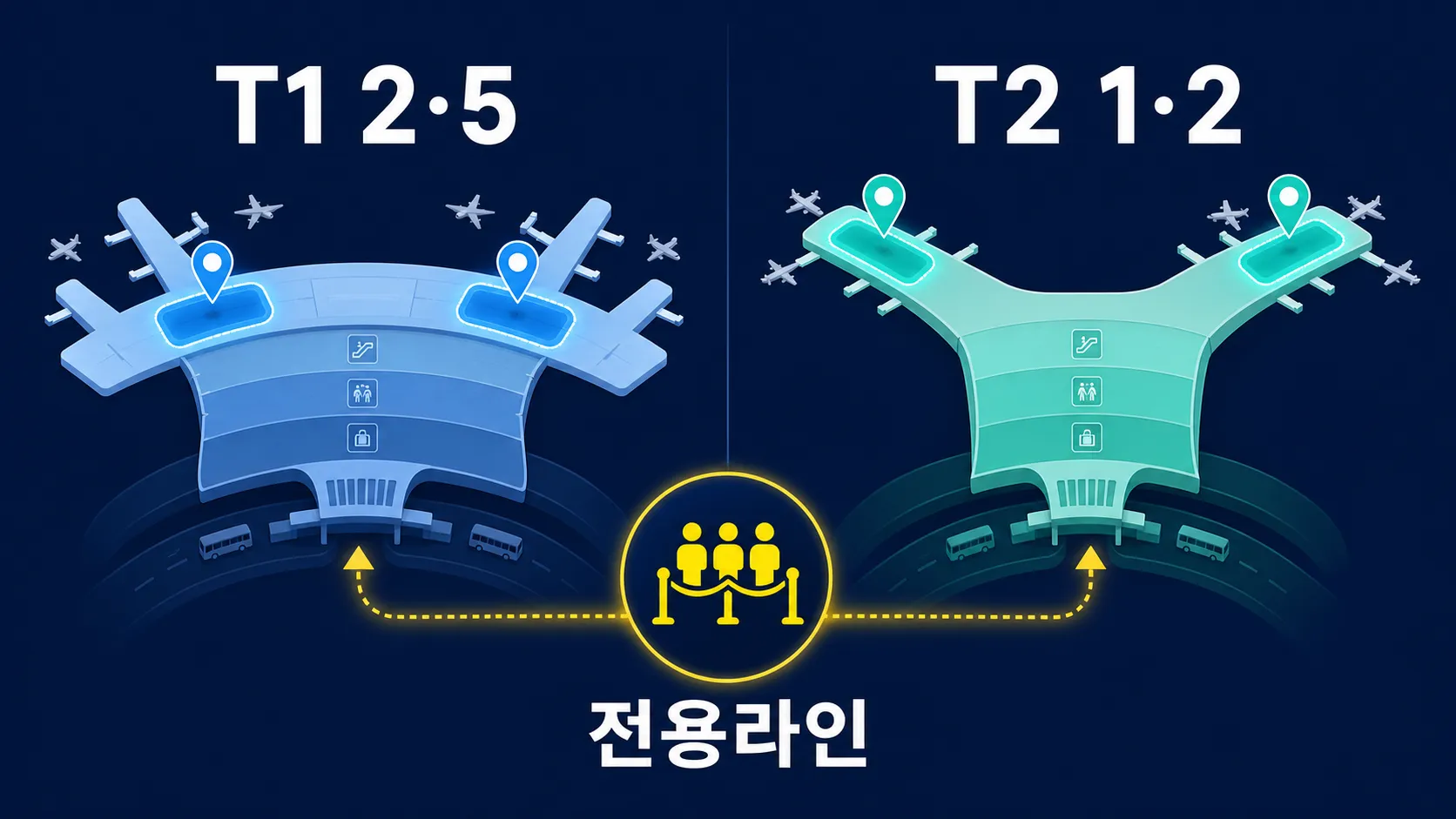
Terminal 1 location
Based on the official location map, T1’s dedicated Smart Pass departure halls are marked near Gates 2A/2B and Gates 5A/5B. Since Terminal 1’s check-in counters spread out widely from A to N, it’s best to check the dedicated lane closest to your airline’s counter first.
Terminal 2 location
In T2, the dedicated Smart Pass departure halls are marked near Gates 1C/1D and Gates 2C/2D. Passengers flying Korean Air, Asiana Airlines, Delta Air Lines, Jin Air, and Air Seoul are among those covered, as these are T2’s participating airlines.
| Terminal | Smart Pass departure hall location | On-site check point |
|---|---|---|
| T1 | Near 2A/2B, near 5A/5B | Floor guide lines and Smart Pass signage |
| T2 | Near 1C/1D, near 2C/2D | Dedicated lane markings and gate direction |
| Both | Registered passengers only | Unregistered travelers use the general departure hall |
🔍 How to check airport wait times, plus a recommended route
Check real-time wait times by departure hall
Incheon Airport’s official website shows real-time wait times for departure halls 1 through 6 at Terminal 1. Status is shown as smooth, normal, congested, very congested, or closed/not operating.
Check the forecasted congestion level the evening before
The airport’s forecasted congestion level updates daily at 5 PM. The departure-airport forecast covers two days ahead (D+2), while the immigration and transit-airport forecast covers one day ahead (D+1). The color-coded levels range from 4,300 people per hour up to 5,500 or more.
A recommended route for office workers during summer vacation
If you’re packing in a rush before or after work, this order works well: app registration → airline check-in → confirm boarding pass registration → check the nearest Smart Pass departure hall location. Once you’re at the airport, don’t just hunt for the dedicated lane — check your terminal and airline counter first.
⚠️ Passport and boarding pass precautions
Register your boarding pass every time you fly
Your facial data ID is valid for 5 years, but you need to register your boarding pass every time you depart. Korean Air, Asiana Airlines, Jeju Air, T’way Air, and Air Premia are among the airlines with automatic registration at check-in.
There are age and consent requirements
Incheon Airport Smart Pass is available to travelers age 7 and up. However, those under 14 need consent from a legal guardian. If you’re traveling with family, be sure to check both your child’s passport and the guardian consent requirement.
It’s different from Automated Immigration Control
Smart Pass is a separate service from the Ministry of Justice’s Automated Immigration Control. It helps you get through the dedicated departure lane, but it doesn’t eliminate the departure process altogether.
📋 Pre-departure checklist
The night before
- Registered your ID through the Smart Pass app or a banking app
- Re-registered your ID if you got a new passport
- Confirmed your boarding pass registration
- Checked the T1 2A/2B, 5A/5B or T2 1C/1D, 2C/2D locations
After arriving at the airport
- Carrying your passport and boarding pass on you
- Didn’t pack your passport in checked baggage
- Following the floor guide lines and Smart Pass signage
- Unregistered companions head to the general departure hall
Only registered passengers can use the Smart Pass dedicated lane. If even one person in your group isn’t registered, you may end up split into separate lines on-site.
💡 FAQ
For Smart Pass registration, which is better — the app or the kiosk?
During busy periods like summer vacation when airport wait times can run long, app registration is more convenient. Kiosk registration works too, but after you arrive at the airport, check-in, baggage, and heading to the departure hall can all pile up at once.
Can I still use it if my airline isn’t on the automatic boarding pass registration list?
Yes, you can. If your airline isn’t on the automatic registration list, you just register your boarding pass yourself every time you depart. That said, facial recognition at the boarding gate is only available at select gates for participating airlines.
If I just know the departure hall location, can I go straight through?
No. Even if you head to T1’s 2A/2B or 5A/5B area, or T2’s 1C/1D or 2C/2D area, you still need to have registered in advance. On-site, check both the floor guide lines and the signage.
Do I really need to have my passport and boarding pass out?
Yes. Even when using Incheon Airport Smart Pass, you need to carry your passport and boarding pass yourself. Even if facial recognition goes through, document checks may still be needed, so it’s best to keep them somewhere easy to reach in your bag.
Registering for Smart Pass isn’t difficult, but on the day of departure, one small step can save you a lot of time. If you check your passport, boarding pass, and departure hall location all at once the night before your summer vacation flight, you’ll have a much less hectic time at the airport.