
You have a task half-delegated to Claude Code on a dev server. That evening you open your laptop, and the conversation isn’t there. Three days later, you can’t even remember which computer you did the work on. Atuin Threads is a feature added to Atuin, an open-source shell history tool, starting with version 18.24 in October 2026. It collects conversation histories from coding agents such as Claude Code and Codex, and lets you find them and pick them up on another computer. After it showed up on Hacker News and on GeekNews (a Korean tech news site) in November, it became a talking point among people who do vibe coding.
What Atuin Threads does
Atuin is a Rust tool that stores the commands you type in the terminal in SQLite and, if you want, syncs them across computers with end-to-end encryption. It has been in development since 2021, is licensed under MIT, and had roughly 32,000 GitHub stars as of November 12, 2026.
Threads layers agent conversation history on top of that. Ellie Huxtable, who wrote the launch post, opens by describing how agent work had scattered across a dev server, a laptop, temporary cloud instances, and even a bare-metal server in Germany, making it hard to find anything. Atuin’s sync engine can carry anything that fits an append-only log, so agent conversations were simply put on top of it, she explains.
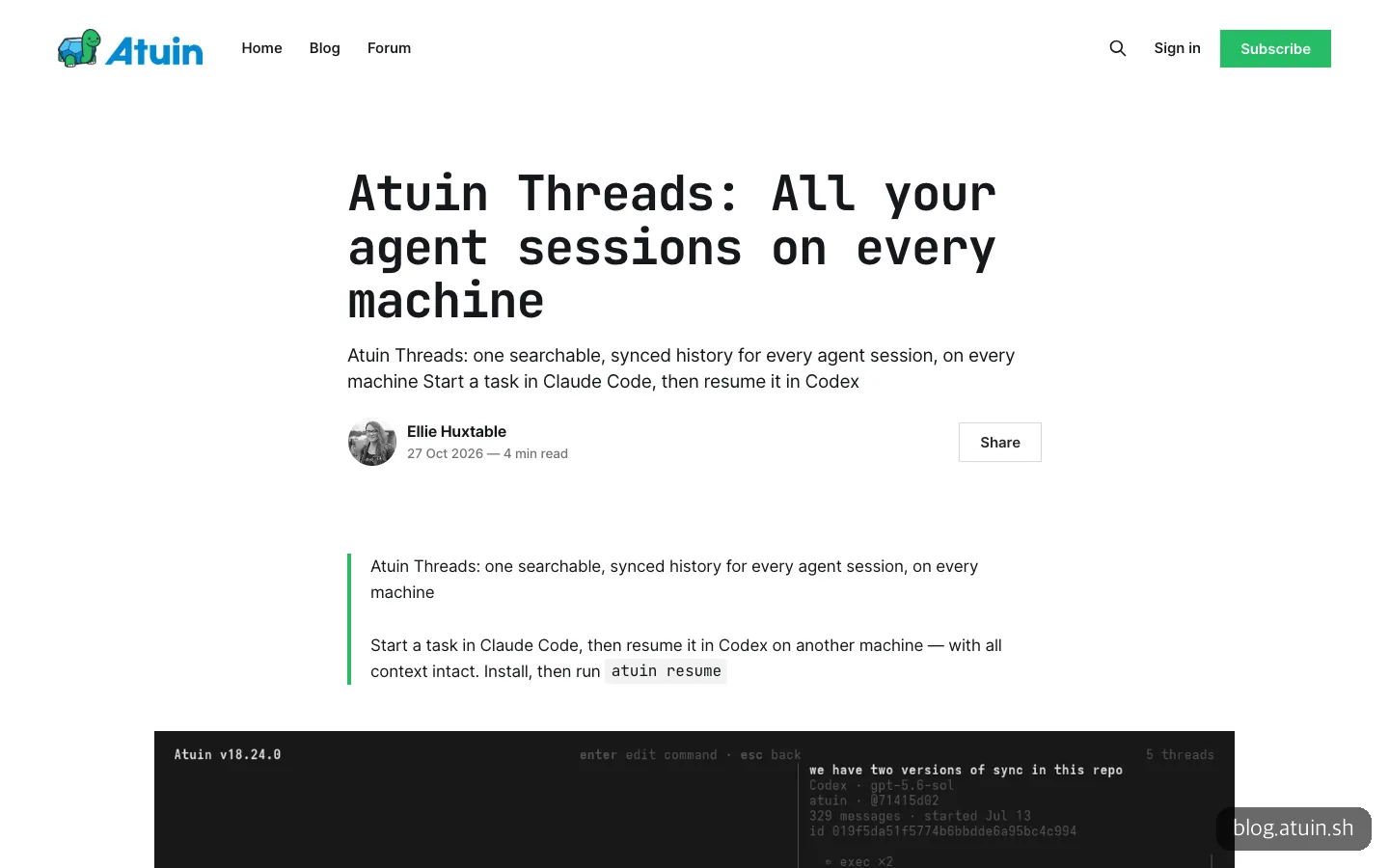
The launch post leads with a scene of continuing work started in Claude Code on another computer’s Codex.
What it can do falls into three groups.
- Find agent conversations from multiple computers in a single list
- Pick up, on this computer, work you were doing on another computer
- Make a copy with the same history (a fork) and carry on with a different agent
The official post’s example shows the feature well: work started in Claude Code on a dev server gets finished in Codex on a laptop. The launch post listed five supported agents, but as of November 12, 2026, the official docs list Claude Code, Codex, Copilot, Grok Build, Hermes Agent, Kiro, opencode, Pi, and Amp. According to the release notes, Copilot CLI was added on October 30, and Grok Build, Amp, and Kiro CLI on November 4, so the list grew quickly in a month. Cursor is not a collection target.
When it helps, and when it’s overkill
Some people are clearly a good fit.
People who alternate agents across two or more computers. A home desktop and a laptop, or a remote dev server and your own Mac: that is exactly the scene this tool is aiming at.
People who use both Claude Code and Codex. Sometimes one gets stuck and you want to hand the same context to the other. Instead of copying and pasting the conversation, you can pass it over with the single --in option.
People who often go looking for “that one task from back then.” If you want to search which files an agent edited last week or which commands it ran, turning on the MCP server lets the agent do the searching for you.
On the other hand, if you use a single agent on a single computer, there’s little to gain. Sync is the core of the feature, so for someone working alone in one place it only adds setup. A comment on GeekNews also questioned whether it makes sense to store every conversation, including ones you’d throw away. If your habit is to use agent conversations briefly and discard them, the reason to turn it on is weak.
How to use Atuin Threads
All you need is Atuin. It supports macOS, Linux, and Windows, and works with zsh, bash, fish, Nushell, xonsh, and PowerShell. The official install command is:
curl --proto '=https' --tlsv1.2 -LsSf https://setup.atuin.sh | shOn a Mac, brew install atuin also works, and on Windows, winget install -e Atuinsh.Atuin. After installing, turn on Threads.
atuin threads enable
atuin threads import
atuin resume
The first line turns on collection, starts a background daemon, and asks whether to import existing conversations. Collection starts from the moment you turn it on, so bring in older history with the second line, and add --harness if you only want a specific agent. The MCP docs write the same action as atuin config enable threads, and according to the Threads docs, the command above is shorthand for it. To turn it off, use atuin config disable threads.
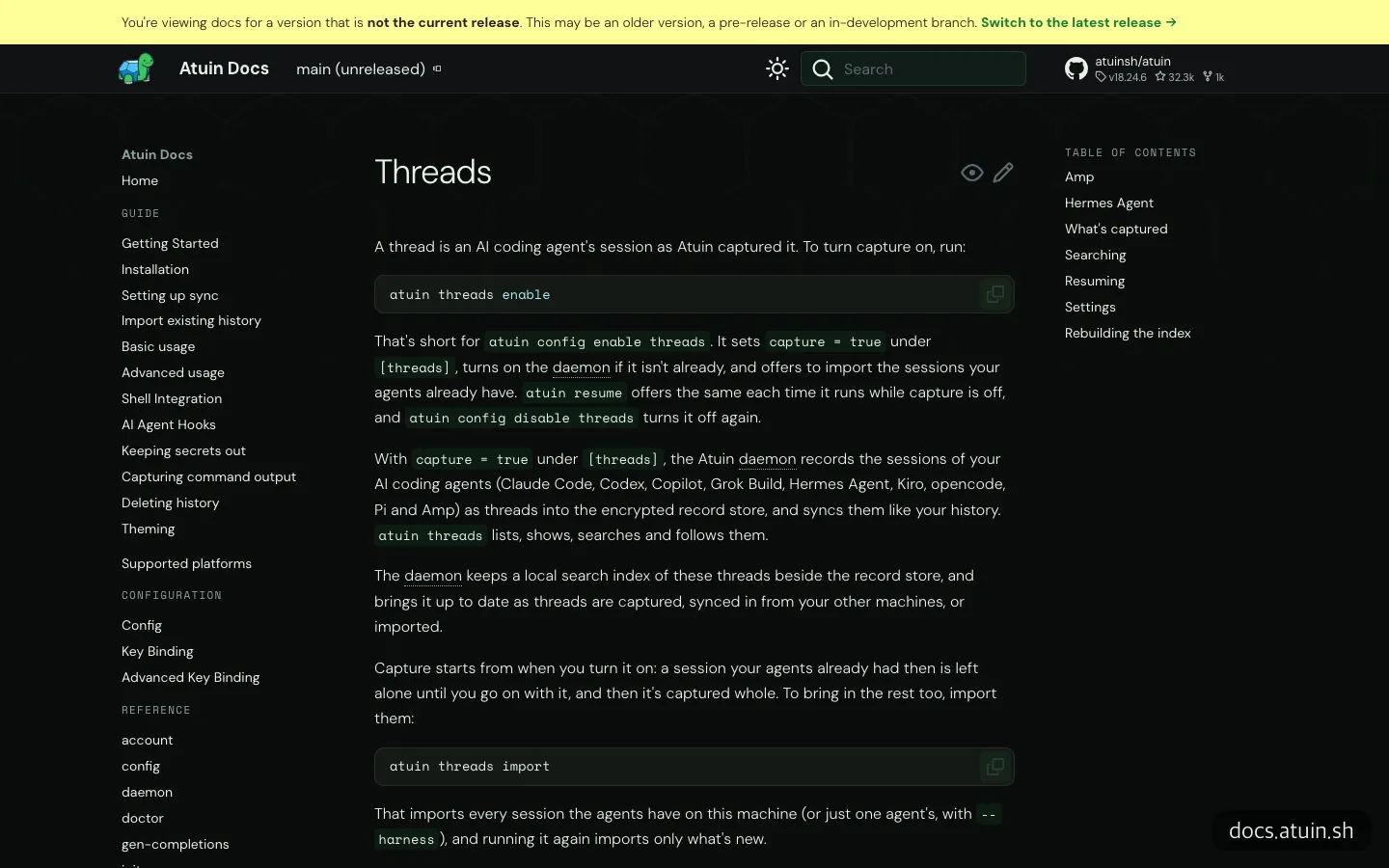
The enable section of the Threads docs. The yellow banner at the top warns that the page documents main, which hasn’t been released yet.
Running atuin resume opens a screen for choosing a conversation. You only need to remember four options.
| Command | What it does |
|---|---|
atuin resume <id> | Resume that conversation directly, skipping the picker |
--in <agent> | Resume in a different agent (for example, take a Claude Code conversation into Codex) |
--fork | Make a copy with the same history and branch off |
--print | Show which command would run, without running it |
If you add the MCP server on top of this, agents can dig through past conversations on their own. A single atuin mcp install finds agents that have config files and asks whether to register them, and you can name just one, as in atuin mcp install claude-code. After registering, you need to restart the agent. It adds six tools, including shell history search and thread search, list, and read, and all of them are read-only. Cursor, VS Code, Gemini CLI, and Claude Desktop can’t be registered automatically, so you have to write them into the config file by hand.
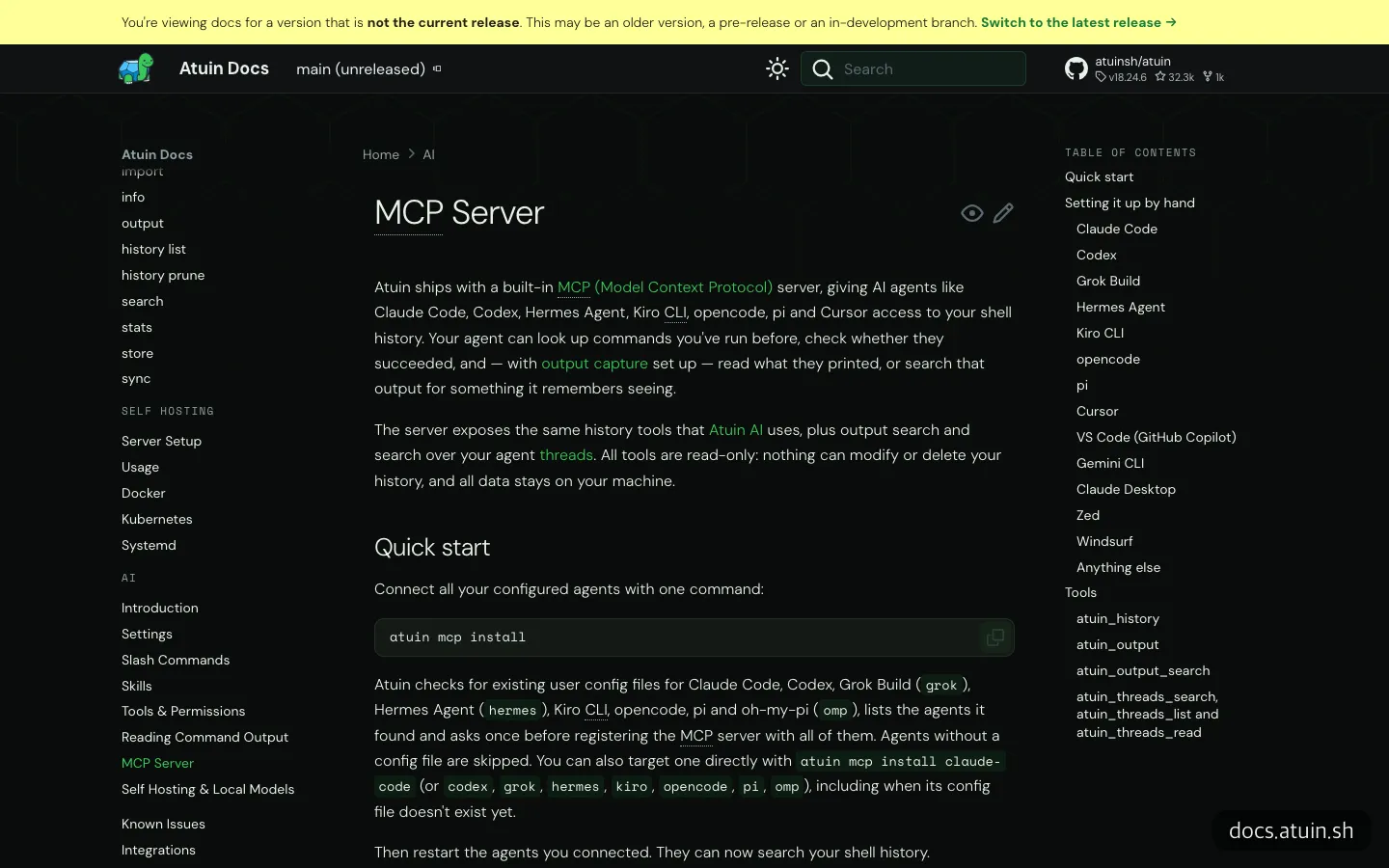
The MCP docs. The table of contents separates agents registered with one command from editors that need manual setup.
If you’re uneasy about touching the terminal yourself, you can hand the installation to Claude Code. A request like this is enough.
Install Atuin with the official command, turn on Threads, and import my old Claude Code conversations.
It’s safer to add that you want to see the installed version and the parts of the config that changed afterward, and to note that you’ll log in to the sync server yourself. Once MCP is connected, a request to find past work goes through.
Use atuin thread search to find last week’s checkout page work and summarize the files I changed.
What gets stored and what gets masked
This is the part to read before you turn it on. Threads stores not only the conversation but also the inputs and outputs of tool calls, which means the commands the agent ran and the contents of files it read and wrote. For file edits, the diff is kept as well. For the model’s reasoning, only a marker that it happened is kept.
There are masking safeguards too. Known secrets and patterns you define are replaced with ****, images are left out, and the input and output of a single call are truncated at 64KiB. Calls that read files such as environment variable files where secrets are kept, SSH keys, and AWS credentials aren’t stored at all, and commands such as gh auth token leave no output. To store even less, you can set capture_tools = false and keep only the tool names.
The problem is secrets that fall outside this list. Formats Atuin doesn’t know, such as an internal company token, can remain as they are. On Hacker News too, there was concern that an agent’s credentials could leak. The synced history itself is end-to-end encrypted so that Atuin can’t read it, and you can choose where it’s stored: a hosted server, a server you run yourself, or local only. If you work with company code, starting with a self-hosted server or local only is the right call. Even with encryption, what gets recorded depends on your own settings.
Compared with similar tools
Other tools solve the same problem in different ways. However, most of the tools compared below are small personal projects, and EasyTicket did not look deeply into their repositories, so only the broad strokes are noted.
| Atuin Threads | claude-code-sync | clync | DIY with rsync or Syncthing | |
|---|---|---|---|---|
| Sync method | Atuin sync server (hosted, self-run, or local only) | Git repository | Git repository | Folder copying |
| Agents covered | 9 (per the docs as of November 12, 2026) | Claude Code only | Claude Code conversations | Anything in the folders you set up |
| Encryption | End-to-end encryption | Left to the Git repository | Encrypted with age | DIY |
| Handing off to another agent | Yes (--in, --fork) | No | No | No |
| Searching past conversations | Picker screen and MCP tools | None | None | None |
The difference comes down to two things: you can switch agents and hand work over, and agents can search past conversations. If you only use Claude Code and you’re comfortable with Git, a lighter tool is enough. The Hacker News comments mentioning homemade setups with rsync or Syncthing point the same way.
What to know before trying it
This time we didn’t install and run it. We only looked through the official blog, docs, and repository pages. A few things caught our attention along the way.
First, the docs version. The Threads docs carry a yellow warning at the top saying they cover the unreleased main branch. As of November 12, 2026, the latest stable release is 18.24.6, which came out on November 10, so a feature described in the docs may not exist yet in the version you installed. If a command doesn’t work, the first step is to check atuin --version.
Each agent has its own quirks too. Amp conversations can only be resumed: you can’t fork them or hand work from another agent over to Amp. Hermes needs a separate hook installed before it can revive conversations held on another computer. Subagent conversations don’t appear in the picker, and if you change the collection or filter settings, you have to restart the daemon for them to take effect. It also helps to know that if you continue the same conversation separately on two computers and the two diverge, it doesn’t merge them automatically but asks which one to use.

Each agent has its own notes. Amp can only be resumed, and Hermes needs a plugin installed.
Maintenance looks active. In a little over a month after 18.24.0, six patches came out, and the repository shows work on a team feature. Team-level sharing is still in development and available only by emailing a request. Meanwhile, the release notes warn against using the 18.24.2 Docker image and say to use 18.24.2-1, so if you plan to run your own server, avoid that version.
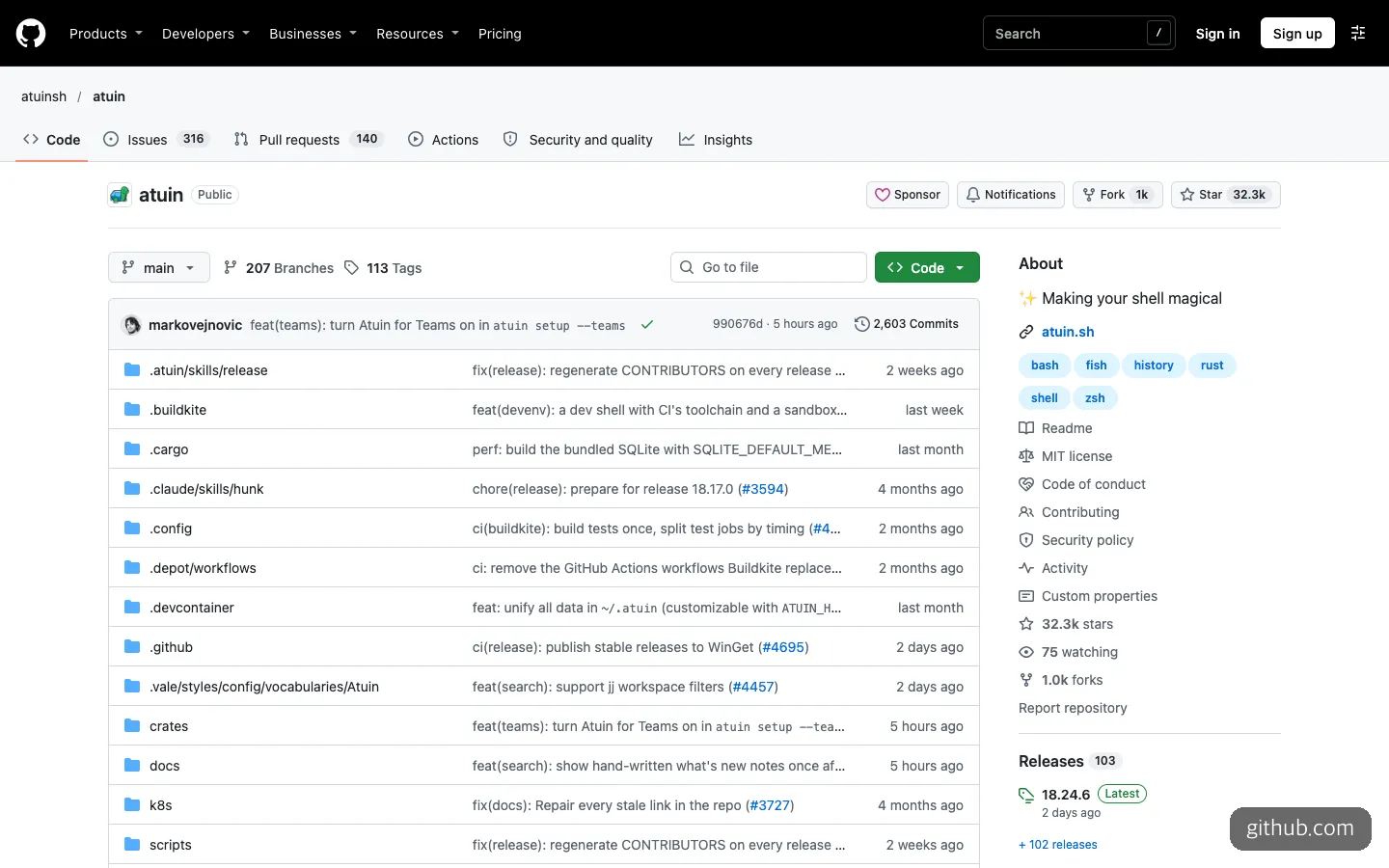
The repository’s front page. The latest commits show team feature work, and the latest release is 18.24.6.
Frequently asked questions
Is it free?
Atuin itself is open source under the MIT license, so it’s free, and if you run the sync server yourself or use it local only, there’s nowhere for costs to arise. As of November 12, 2026, the price of the hosted sync server isn’t listed on the official pages, and the official site only has a line saying the Atuin AI feature is free while in testing.
Does storing conversations use more tokens?
Someone who identified themselves as an Atuin engineer on Hacker News replied that it uses no tokens and mostly just takes up storage space. However, when an agent reads past conversations through MCP, that content becomes input to the agent, so tokens are used for that part as usual.
Can I use it with Cursor?
Conversations held in Cursor are not a collection target. The MCP server can be registered by hand in Cursor’s settings, so you can at least search history built up with Claude Code or Codex, along with your shell history, from inside Cursor. If the editor can’t find the path, enter the full path that which atuin returns.
If you use Claude Code on two computers, it’s enough to start by turning it on in local-only mode and opening the atuin resume picker screen.
Sources 8
AI helped with research and the first draft; the operator tried the subject firsthand, checked and edited this article before publishing. Let us know if you spot a mistake.