
When you open SsamCut’s home page, a pop-up appears before the editor does. It holds a sentence, “Add auto captions to my video and export it as an MP4,” along with a copy button. You paste that sentence not into the editor but into a Claude or ChatGPT chat window. SsamCut is the web video editor in SsamTool, a free set of creative tools made by UhBee. It edits video inside your browser without uploading it to a server. Since November 2026, an MCP connector lets Claude or ChatGPT handle silence cuts, captions, transitions and export on an editing screen you have open.
Once you build an app with vibe coding, intro videos, Shorts and usage screen recordings tend to follow. The reason to look at this tool is whether you can hand that editing to an AI, too, just by talking to it.

The home page opens with a pop-up holding a request sentence to send to your AI, before you see the editor.
Editing in your browser, with an AI doing the work
SsamCut itself is close to an ordinary web editor. You sign in with a Google account, and the official page says there are no ads, no paid plans and no watermark on exported MP4s. It has trimming, multi-track cut editing, speech-recognition auto captions, background music and sound effects, filters, chroma key, scene transitions, keyframes, and switching between 16:9, 9:16 and 1:1. That covers most of what a Shorts edit needs.
What sets it apart from other web editors is where your files live. The videos, photos and audio you import are processed only inside your browser and never go to a server, and export also happens on your own computer. The trade-off is that projects are saved only in that browser, so clearing site data deletes them.

The intro screen you see after closing the pop-up. Badges say no ads and no paid plans, and the user count is shown.
As of November 12, 2026, the user count on the home page is 451,444, and a line says 63,512 people used it in the five days after its October launch. Both numbers come from the site itself. The MCP server was listed in the official MCP registry as version 1.0.0 on November 4, and an introduction post appeared on November 12 in Show GN, the project showcase section of GeekNews, a Korean developer community.
When does SsamCut make sense?
It fits best with videos that have a lot of talking. Class recordings, app walkthroughs and talk-style Shorts all need the quiet stretches cut out and captions laid in. That takes many clicks, but the decisions are simple. Handing that repetition off with a single line like “Cut the parts where no one is talking” is the core use of this tool.
It also fits when you are reluctant to upload video to the cloud. You can edit an unreleased app screen or a class video with faces in it without sending it to an outside service. If you already use Claude and don’t want to add another video editing subscription, SsamCut is a good first thing to try. Both the editor and the connection are free, so there is no extra cost.
The cases where it doesn’t fit are just as clear. If you expect full automation, where the AI finds and uploads files on its own, you will be disappointed. A person has to import the video into SsamCut first, and the editing screen has to stay open. It is also awkward for anyone who needs to continue one project across several devices, because the project stays in a single browser.

When you edit by hand, the flow is three steps: import, edit, save as MP4.
How do you start connecting SsamCut MCP?
You need Chrome on a PC (Edge works in most cases), a Google account, and one AI app to attach MCP to. There is only one connection address, and SsamCut shares it with SsamGeul, SsamTool’s document editor.
Here are the steps from the SsamCut MCP connection guide, adapted for each app.
- Claude (web and app): Settings → Connectors → Add custom connector. Enter SsamCut as the name and the SsamTool MCP address as the URL (the same one that appears in the Claude Code command below). Leave the advanced settings empty, click Connect, then allow access with your Google login. The free plan allows up to one custom connector.
- ChatGPT: Settings → Apps and connectors → turn on Developer mode under Advanced settings, then enter the address and OAuth. However, the guide says Developer mode may not appear, or may be read-only, on a personal Plus or free plan (as of November 2026), and recommends Claude in that case.
- Claude Code: Enter the command below in your terminal, then choose SsamCut in
/mcpand log in. The guide says other MCP apps such as Cursor connect with the same address.
claude mcp add --transport http ssamcut https://ssamtool.com/mcp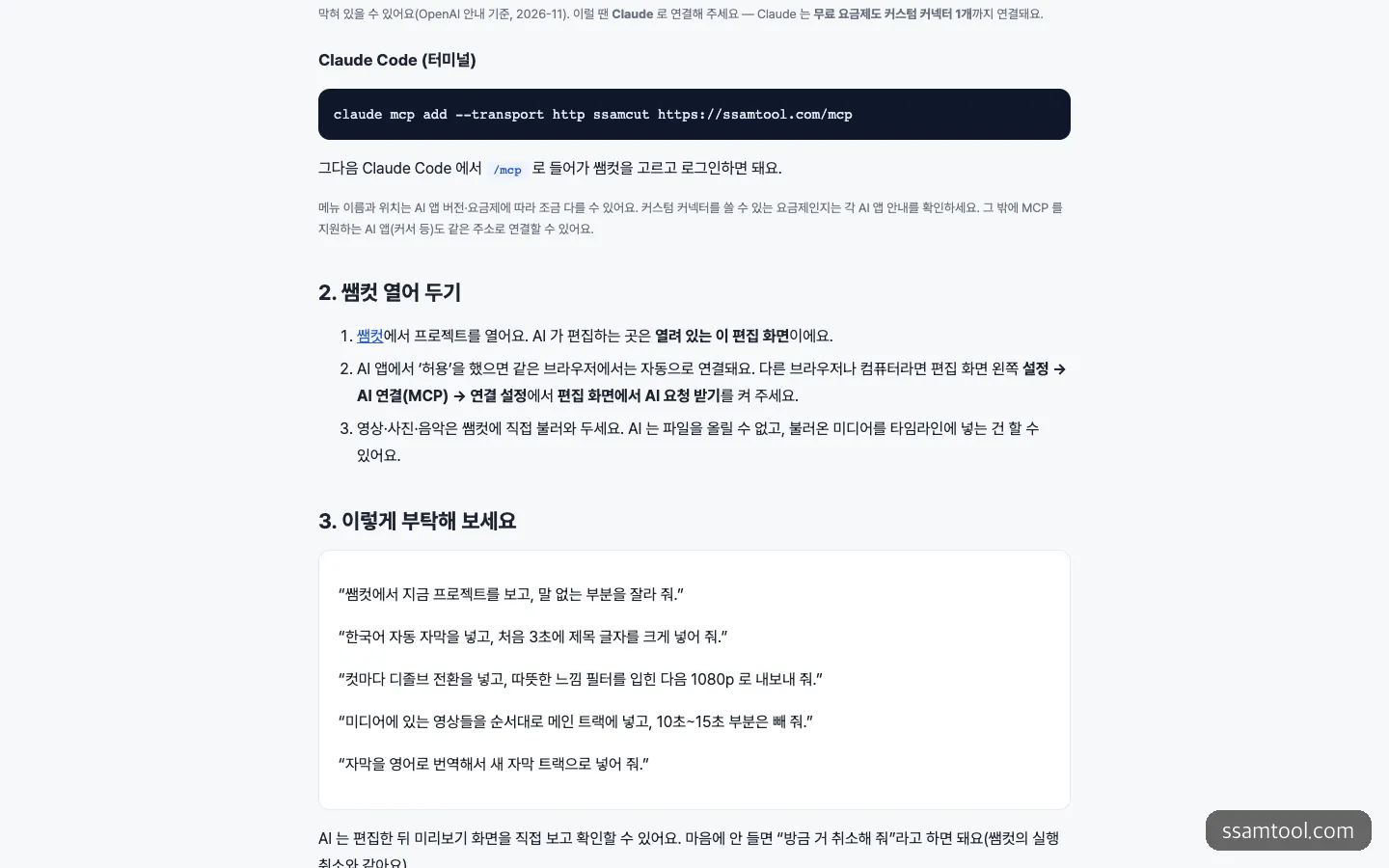
The section where the Claude Code connection command, the step for keeping SsamCut open, and example request sentences follow one another.
After the connection is done, open a project in SsamCut and import the videos, photos and music you plan to use in advance. In the same browser, the link continues automatically the moment you allow access. On a different browser or computer, you need to turn on “Receive AI requests on the editing screen” under Settings → AI connection (MCP) on the editing screen. If several editing screens are open, the one you viewed most recently receives the request, so keeping just one tab open for the work avoids confusion.
How to ask the AI
The range of what the AI can touch through MCP is quite wide. It covers viewing the project and clip lists, previewing any point you want, splitting, trimming sections, moving, speed and volume, automatic silence cuts, auto captions, captions matched to a script, translated captions, title text, and finally exporting an MP4. The exported file lands in your browser’s download folder.

The kinds of effects you can have the AI pick by name. Sound effects are the most numerous.
On the decoration side there are 35 sound effects, 30 filters and 21 transitions, so even a vague request like “a warm feel” gives the AI enough candidates to choose from. Rather than packing everything into one request, it is easier to fix things as you check the results if you split it into cuts, captions, decoration and export, in that order. For an app intro Short, it goes like this.
Look at the project I have open in SsamCut and cut the parts where no one is talking.
Then add Korean auto captions and put a large title that says "Budget app in 3 seconds" in the first 3 seconds.
Change the aspect ratio to 9:16. When you're done, check it in the preview and tell me what changed.
Undo the transitions you just added and put only dissolve transitions between the cuts.
Translate the captions into English and add them as a new caption track, then export a 1080p MP4.According to the guide, the AI can look at the preview screen itself and check after editing, and “Undo what you just did” works the same as SsamCut’s undo. One thing to watch is auto captions. The first time, it takes a long while because a speech recognition model has to download, and you must not close the editing screen while the captions are being generated.
This time, I did not get as far as the editing screen, which requires a Google login, or the connector setup. So I could not check for myself how clean the silence cuts are or how accurate the Korean captions are. The above is based on the features described in the official guide.
How does it differ from Kapwing, Descript and Cutfac?
SsamCut is not the only tool that lets you edit video by talking. The biggest divides are where your video sits and the cost.
| SsamCut | Kapwing MCP | Descript MCP | Cutfac | |
|---|---|---|---|---|
| Where the video is | Your browser | Kapwing cloud | Descript drive | Your Mac (rendered with ffmpeg) |
| AI you connect | Claude, ChatGPT, Claude Code, Cursor | Claude, ChatGPT | Apps that support remote MCP | Claude Code, Codex |
| Cost | Free | Paid subscription, credits for AI features | Log in with a Descript account | 3 videos free, then a one-time $29 |
| Form | Web service (source not public) | Web service | Web service | Apple silicon Mac app, AGPL-3.0 open source |
With Kapwing, the AI handles everything from file upload to dubbing, but in return all assets go up to the cloud and a paid subscription is assumed. Descript’s strength is its transcript-based approach, which extends to removing filler words and even publishing. Cutfac is different in that it is open source that uses Claude Code or Codex as its engine on a Mac, so you can read and change the code.
If you want to hand Shorts editing to Claude on a Windows PC without spending money, SsamCut has the lowest barrier. If you want to hand off everything including upload and dubbing, Kapwing is the better choice.
It is not open source, and other snags
Because there is a repository on GitHub, it is easy to mistake this for open source. As of November 12, 2026, the ssamcut-mcp repository has only a README, two files for the registry and one commit, with 0 stars, and no releases or license notice. SsamTool runs the server itself. So it is better seen not as a tool that lets you take public code and use it, but as a service offered for free. It also means that if the service changes or stops, there is nothing you can do about it.
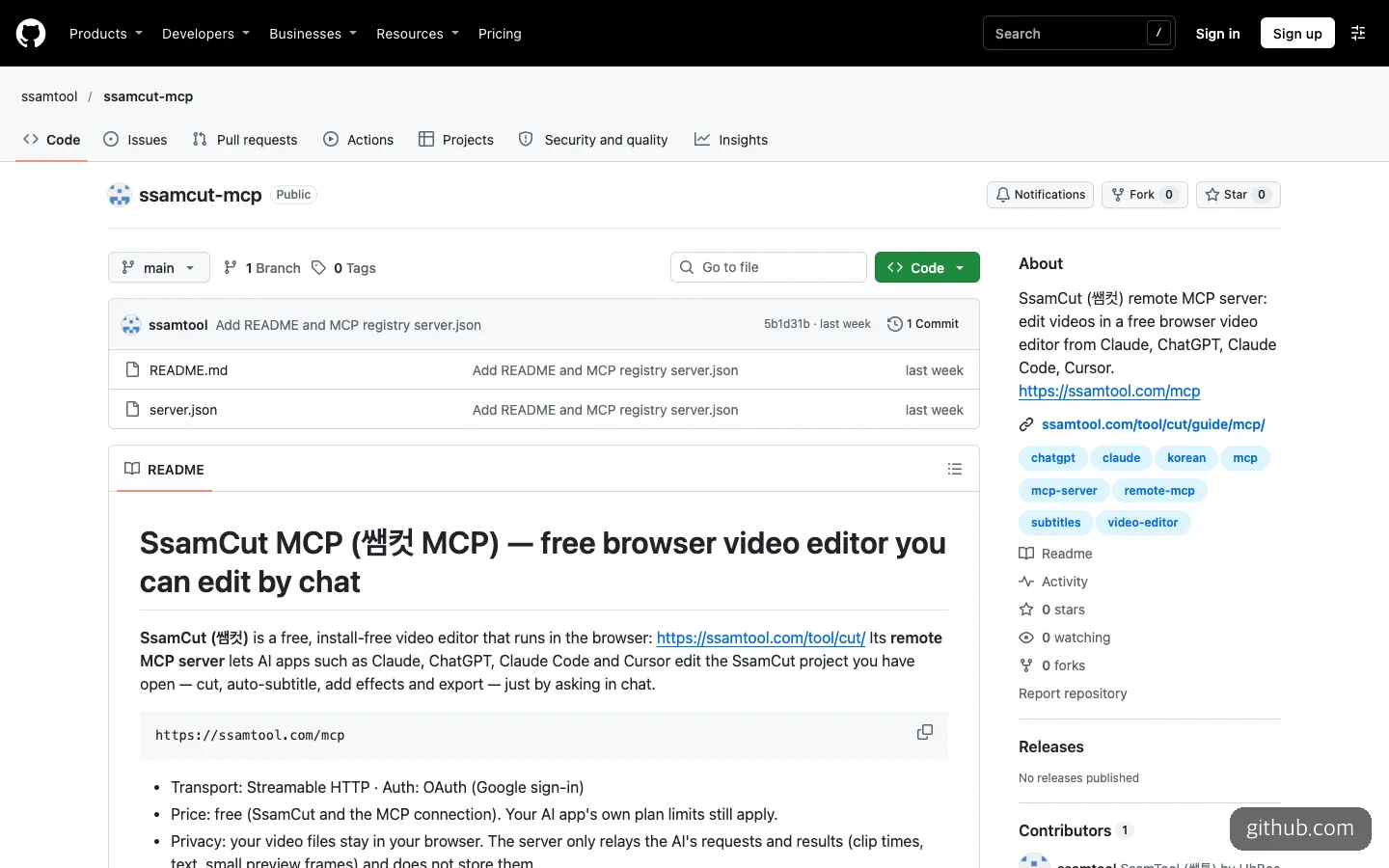
The public repository has only a README and two registry files. There is no server code.
On privacy, the explanation is relatively clear. It says video files stay only in the browser, and the SsamTool server passes along only AI requests and results (clip times, text and small preview images) without storing them. However, preview images do pass to the AI app, so that AI service’s data policy applies separately. If you want to cut the connection, click “Disconnect all AI connections” under AI connection (MCP) in SsamCut’s settings, and remove the connector on the AI app side as well to be thorough.
The cost is also worth a look. SsamCut and the connection are free, but the AI app’s usage limits stay the same. Claude’s free plan has only one custom connector, so if you already use another one, you have to remove it. It is also worth noticing that the official page recommends Chrome on a PC. Since your own computer does all the processing, caption generation time depends on your computer’s performance.
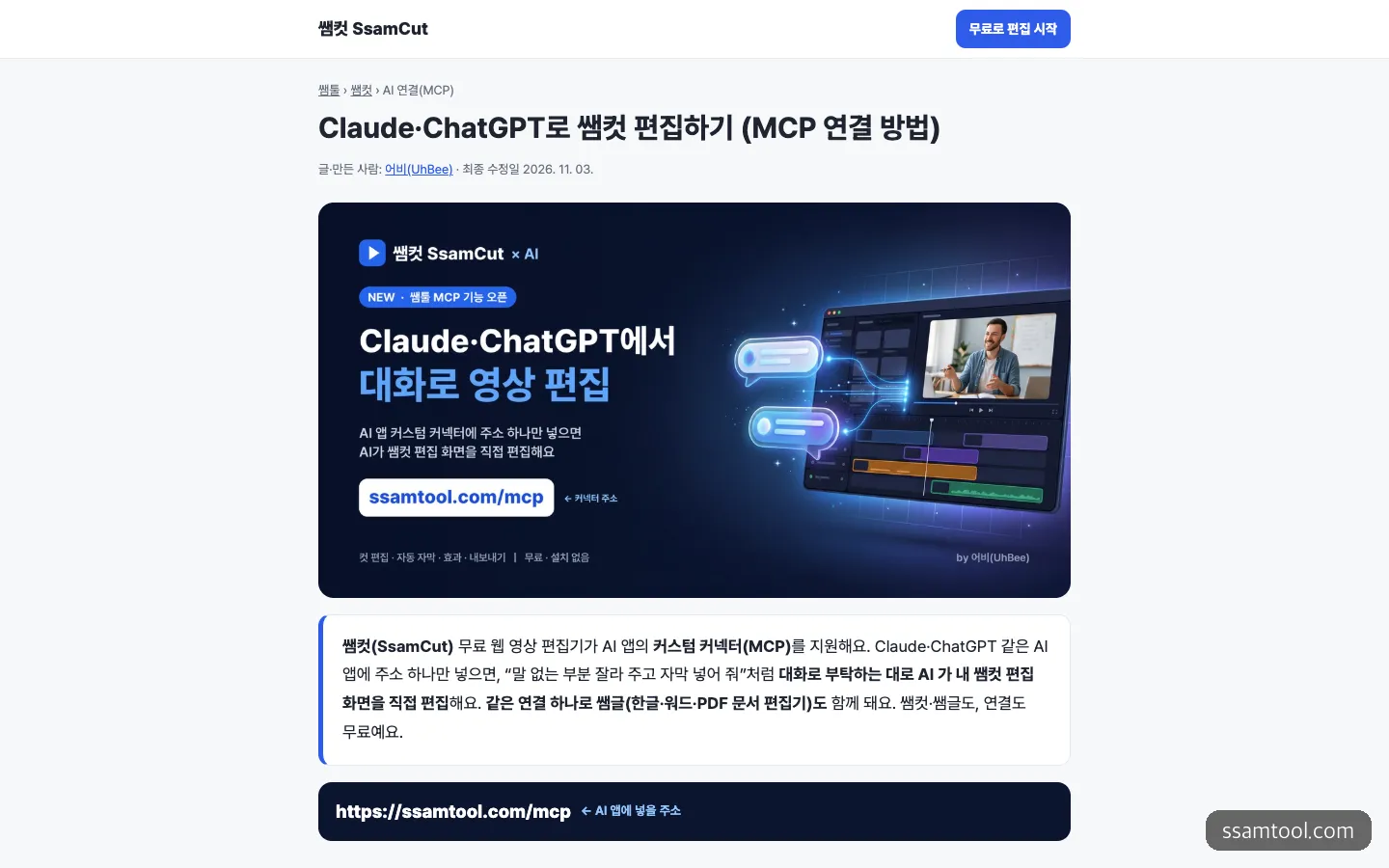
The top of the MCP connection guide. The connector address to enter in your AI app is shown in large type.
If AI editing is new to you, the path with the least floundering is to hand over the tedious jobs first, such as cutting silent stretches and captions, and pass along decoration and export once you like the results.
Frequently asked questions
Can I edit with SsamCut on my phone?
It is supported in beta on iPhone Safari and Android Chrome. When you open it on a phone, the AI guide pop-up covers almost the whole home screen, so you have to tap close to see the main content. The official page recommends Chrome on a PC or laptop.
Can I continue a project on another computer?
No. Projects are saved only in the browser you were using and don’t appear on other devices or browsers. They also disappear if you clear site data, so it is safer to export a finished video as an MP4 right away.
Can I use it with other AI coding tools such as Cursor?
According to the guide, any app that supports MCP connects with the same address. The GitHub repository description also lists Claude, ChatGPT, Claude Code and Cursor together.
Can the AI fetch video files from my computer directly?
No. The AI cannot upload files, so it can only put media you have already imported into SsamCut onto the timeline. A person has to import the video by drag and drop beforehand.
Sources 7
AI helped with research and the first draft; the operator tried the subject firsthand, checked and edited this article before publishing. Let us know if you spot a mistake.