
On Friday, October 30, 2026, I posted a Reel with the caption “Try this at the office on a Friday afternoon, when no one’s looking.” Views climbed fast right after I posted it, and I thought it was about to blow up like Wolgeup Lupang Fishing Spot (월급루팡낚시터, “Paycheck Slacker Fishing Spot”), which had passed 400,000 views five days earlier. Wormhole Monitor is a desktop toy (a PC app) for Mac and Windows that an EasyTicket developer built through vibe coding and released on October 30, 2026. You open a pair of wormholes on your desktop and throw marbles, arrows and bowling balls through them. If you flick a marble into a cup, the goal is saved as a vertical video.
The result was not what I expected. By the next day the Reel had 2,104 views and 4 shares, and the views faded quickly. Here is what I thought would be fun, and why I think it didn’t spread.
The Next Act After the Fishing Spot: Why Wormholes
The starting point was Wolgeup Lupang Fishing Spot. The Reel I posted on October 25, “Sneak in some fishing when you don’t feel like working on Monday,” passed 410,000 views and 11,000 shares, which showed me that toys you play in secret at the office work. Around midnight, while I was thinking about what to build next, I wondered whether there was anything fun to do on a computer while lying down, and that is when wormholes came to mind. It was a simple question: connect two spots on the screen with a hole and see what happens when you put things in it.
Here is the first picture I drew. Wormholes come in connected pairs, and you can pass through in both directions. Things you throw, shoot or drop fly under gravity, arrows stick into floating windows, and if you drop a ball from above, a window sinks down a little at a time. The mouse cursor also comes out on the other side when it enters a wormhole.
A few minutes into planning, the direction changed once. I remembered how often I’d seen Instagram Reels of marbles bouncing around until they land in a cup. So I added a game where you place structures such as boards and bumpers, or draw lines yourself, to get a marble into the cup. I matched the art to the pixel style of the fishing spot.
There was one thing I held onto to the end. I decided it would only be fun if real app windows got pushed around by the physics. It should be your actual open browser window, not a fake window drawn on the desktop, that gets pressed down by a bowling ball and shoved aside by a bomb. Only then does it feel like “something happening on my computer.” I put no limit on the number of wormholes for the same reason. Some people want to make as big a mess as they can.
Features Added to Make People Want to Share
For a Reel to spread, someone who has tried the toy has to post something again. So I put the most effort into capturing the moment of the goal.
- Goal stamp: When a marble lands in the cup, a stamp appears with a record like “3 bounces · 1 wormhole · on the 2nd try.”
- Vertical video saving: From the moment of the throw to 2.5 seconds after the goal, the clip is saved as a 1080×1920 vertical video. It shows the whole course, zooms in to follow the marble, and goes into slow motion just before the goal. The aspect ratio is ready to post to Reels as is.
- Course code: Copy the course you built as a code and send it, and the same course appears on your friend’s screen. It adjusts by proportion even when screen sizes differ, so you can use it as a challenge.
- Hide shortcut: This one is for the office. Press Ctrl+Alt+H (⌃⌥H on a Mac) once, and everything you’ve placed, the toys and the toolbox all vanish, frozen exactly as they were. Press it again and they return as they were.
There is plenty to play with, too. There are 12 kinds of structures, including boards, springs, funnels, basketball hoops, seesaws and windmills, 4 line-drawing materials (wood, rubber, ice and sticky), and 8 challenge courses, from the first goal to a bumper pinball course and an infinite-fall escape. If you stack wormholes one above the other, a marble falls endlessly and speeds up to about 990 km/h. I left in the speedometer that appears in that scene as something to watch.
What It’s Built With, and a First Version in 1 Hour 25 Minutes
I made it by talking with the AI coding tool Claude. I started planning around midnight, ran the first version on Windows about 1 hour 25 minutes later, and fixed it up two more times the same day. The ingredients will look familiar to any vibe coder.
| Part | What I used | Why I chose it |
|---|---|---|
| App framework | Electron + TypeScript | One set of web technologies builds both Mac and Windows apps |
| Physics | Rapier 2D | Fast marbles don’t pass through thin lines, and the same input gives the same result |
| Graphics | Color calculated per pixel cell | A pixel-art look at any size, with no image files |
| Sound effects | WebAudio synthesis | Sounds are generated on the spot, with no audio files |
| Moving other apps’ windows | koffi | Calls operating system functions directly to read and move windows |
| Icon and promo art | Codex image generation | No need to draw the pixel art separately |
| Font | Galmuri | A free, openly released pixel font |
I first planned to use matter.js, which is common in web games, for the physics engine, then switched to Rapier. There are two reasons. When a marble flies fast, it can pass straight through a thin board between one frame and the next, and Rapier prevents this with continuous collision detection. Also, as the Rapier official docs state, the calculation results are the same even on different devices. For a course code sent to a friend to play out the same way on their computer, I needed that property.

The Wormhole Monitor icon. Like the promo art, it was made with AI image generation.
The hardest part was the MacBook. On Windows, a window pressed down by a bowling ball slid downward, but on the Mac it wouldn’t budge. The cause was a macOS rule. To move another app’s window, the app needs the Accessibility permission, and it was turned off. With the permission on, windows move, and with it off, things just bump into them. It isn’t a problem code can fix, so in the end I had no choice but to ask users to turn on the permission once, and that one step comes back to bite later.
After the first test, small fixes followed. Objects now come out at the center of the wormhole, and I removed the exit arrow. I changed it so that only things moving from outside a wormhole toward the inside get sucked in, and I fixed the problem of an arrow on the floor wriggling by itself.
How to Use Wormhole Monitor
Download the Mac or Windows file from the Wormhole Monitor page and install it. On a Mac, you open the file, drag it into the Applications folder, launch it to bring up the toolbox, double-click to place a pair of wormholes, and pull back and release a marble for your first shot.

The page opened on a computer. Below the download button come the four installation steps and the Mac permission notice.
If you walk through the page yourself, you can see quite a few gates to pass before you get to play. Right below the four installation steps is a notice that on a Mac you must turn on the Accessibility permission for windows to be pushed. The Windows installer has no code signature, so a “Windows protected your PC” window appears and you have to click “More info” to run it. The Mac version works only on macOS 13 Ventura or later.
On a phone it is even further away. When you open the page on a phone, instead of a download button you get a notice at the very top saying this is a PC program, along with a copy-link button. It even explains that you can paste the link into KakaoTalk’s “Chat with Me” (the self-chat) and open it in KakaoTalk on your PC. Someone who arrives while watching the Reel on a phone can’t try it on the spot.

Opened on a phone, the page shows a notice to open it on a computer instead of a download.
Views Went Up, but Shares Didn’t
Set next to Reels from the same series, the difference is clear. All figures are as of October 31, 2026.
| Reel (date posted) | Views | Comments | Shares | Shares per 100 views |
|---|---|---|---|---|
| Pigeon Monitor (Oct. 12) | 10,407 | 155 | 615 | about 5.9 |
| Salary Negotiation Fishing (Oct. 19) | 6,846 | 113 | 105 | about 1.5 |
| Wolgeup Lupang Fishing Spot (Oct. 25) | 416,406 | 4,737 | 11,120 | about 2.7 |
| Wormhole Monitor (Oct. 30) | 2,104 | 15 | 4 | about 0.2 |
On views alone, passing 2,000 in a day was not a bad start. The problem is shares. The fishing spot Reel was sent to someone almost 3 times for every 100 views, while Wormhole Monitor needed more than 500 views for a single share. An explanation from Instagram head Adam Mosseri, reported by the German IT outlet t3n, points the same way. Likes are mostly reactions from existing followers, while shares and sends can be a stronger signal that a video should be shown to new people. With no shares, the Reel couldn’t widen beyond the people who first saw it, and I think that is why views cooled so fast.
The page was quiet, too. In the two days from October 30, 14 people visited, 8 of them came from Instagram, and the average time on the page was 5 seconds.
To Play in Secret, It Has to Be Simple
Why didn’t it spread? I reached one conclusion: it made people want to try it, but it wasn’t simple enough to play in secret at the office.
The Reel’s caption said “at the office, when no one’s looking,” but to actually get to that scene you have to move the link from your phone to a PC, install the app, turn on the permission if you’re on a Mac, learn how to place wormholes and how to fire the slingshot, and then arrange structures and build a course. The goal scene in the video sat at the end of all that. Viewers could get as far as “that looks fun,” but there were too many steps between that and “I’ll try it in secret right now.”
Installation alone isn’t the whole problem. Pigeon Monitor is also a PC app you download and install, yet it had the highest share rate of the four Reels. I think the split came down to what you have to learn after installing. Think of Desktop Goose, a desktop toy loved for years. Just leave it running, and the goose steals your mouse and leaves muddy footprints on the screen on its own. There is nothing for the user to learn.
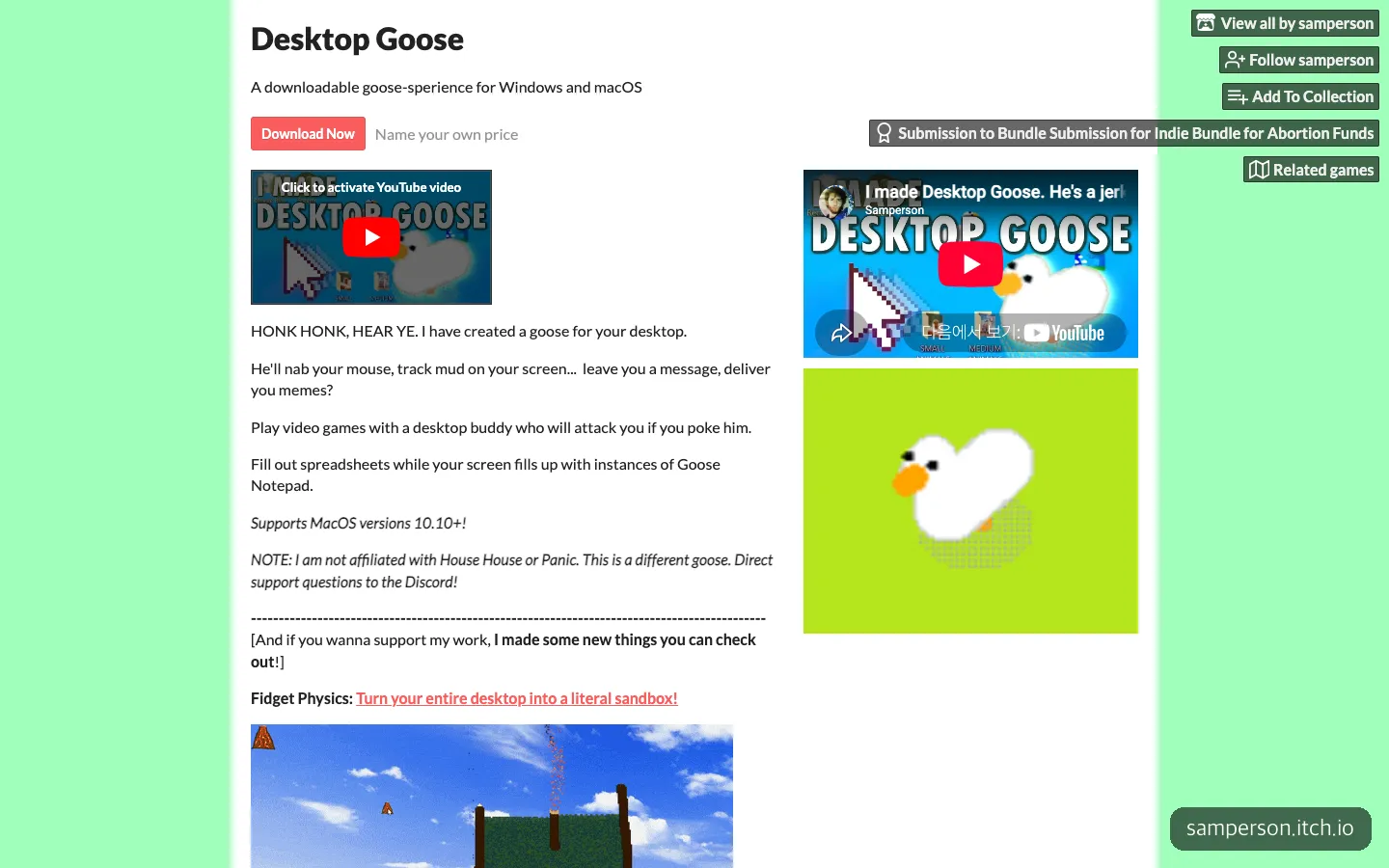
Desktop Goose, a desktop toy where the goose moves on its own as long as you leave it running.
Secret Matgo (몰래맞고), an older game aimed at office workers, goes the same way. According to Gamemeca, it dressed up the screen of Go-Stop, a Korean card game, to look like a Windows screen. It removed only the worry of getting caught, and how to play was just the Go-Stop everyone already knew. Wormhole Monitor did the opposite. It stacked up fun one piece at a time, and the first moment of fun arrived that much later.
If you’re planning a toy to be played in secret, the right first move is to count how many steps it takes to reach the scene in the Reel. Only when a viewer can taste the same fun with a single first action will their hand reach for the share button.
Frequently Asked Questions
Will my work screen show up in the goal video?
The pixel-art video saved by default redraws windows as plain gray boxes, so nothing displayed on your screen is captured. The feature that records your actual screen runs only if you turn it on separately.
Does it need an internet connection?
It doesn’t use the internet except when checking for updates. Saved videos also stay only on your computer.
Can I make a desktop toy like this myself?
It works by showing a transparent window across the whole screen with Electron and running a physics engine on top, so with an AI coding tool you can get to a first version quickly. Features that touch other apps’ windows are tied to operating system permissions, so it’s best to test them on Mac and Windows separately first.
Sources 8
AI helped with research and the first draft; the operator tried the subject firsthand, checked and edited this article before publishing. Let us know if you spot a mistake.