
On October 28, 2026, a single GitHub repository picked up 398 stars in one day. It was a Claude skill that had been public for just two days. MotionSites Web Builder is a free Claude skill that MotionSites, a company that sells website prompts, released under the MIT license on October 26, 2026. It lets Claude build cinematic landing pages with video and 3D assets instead of generic AI layouts.
According to Trendshift, the repo gained 1,174 stars in the eight days from October 26 to November 2, and on October 28 it climbed to No. 13 in the Python category. As of November 2, 2026, it had 1.4k stars and 136 forks. Still, this skill is also a promotional tool that uses the vendor’s own examples and assets, so it’s worth looking at what you get for free and what comes with it.
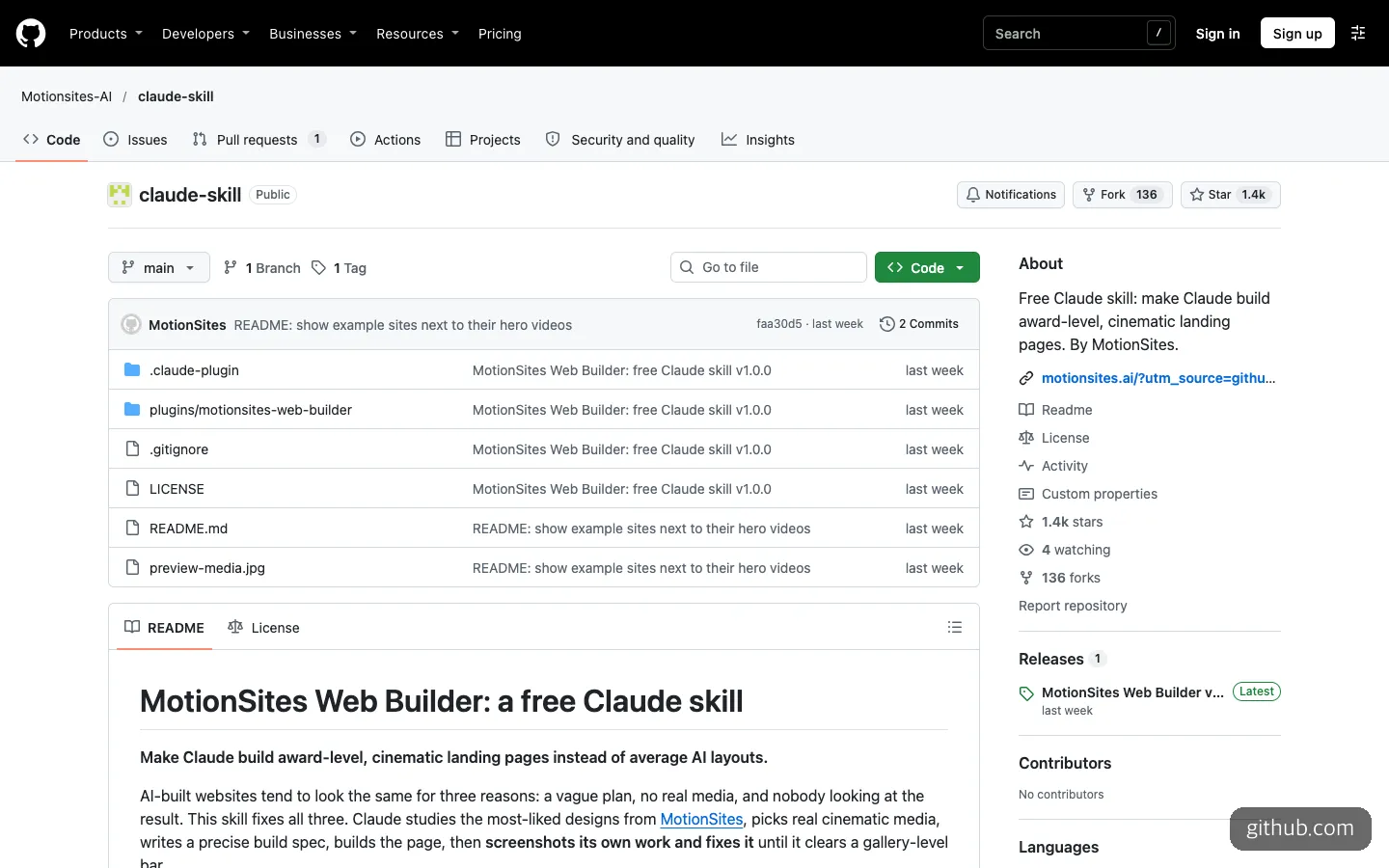
The repository’s front page. It’s a very new project, with just two commits and one release.
Why AI-Built Landing Pages All Look Alike
The README names three reasons AI-built websites end up resembling each other: the plan is vague, there are no real assets, and nobody looks at the result again. This skill fills those three gaps with a fixed sequence.
The workflow in SKILL.md has seven steps. Claude reads the request and settles the product, audience, mood, and core idea, then studies the two or three closest examples (with a rule not to copy their brands, copy, or layouts). It looks for assets in this order: the user’s own, generated ones, then media bundled with the skill. If none exist, it goes with text and gradients and no imagery. After that it writes a spec before coding, builds the page, takes screenshots to fix problems, and delivers.
The step worth noting is the sixth, the look-and-fix loop. A screenshot script captures the page, a scoring rubric grades it, and the three weakest spots get fixed. The target is an average of 8 or higher with every item at 7 or higher, repeated up to three times. Some introductions posted on X said this loop catches broken assets, screens that overflow on mobile, and video playback problems.
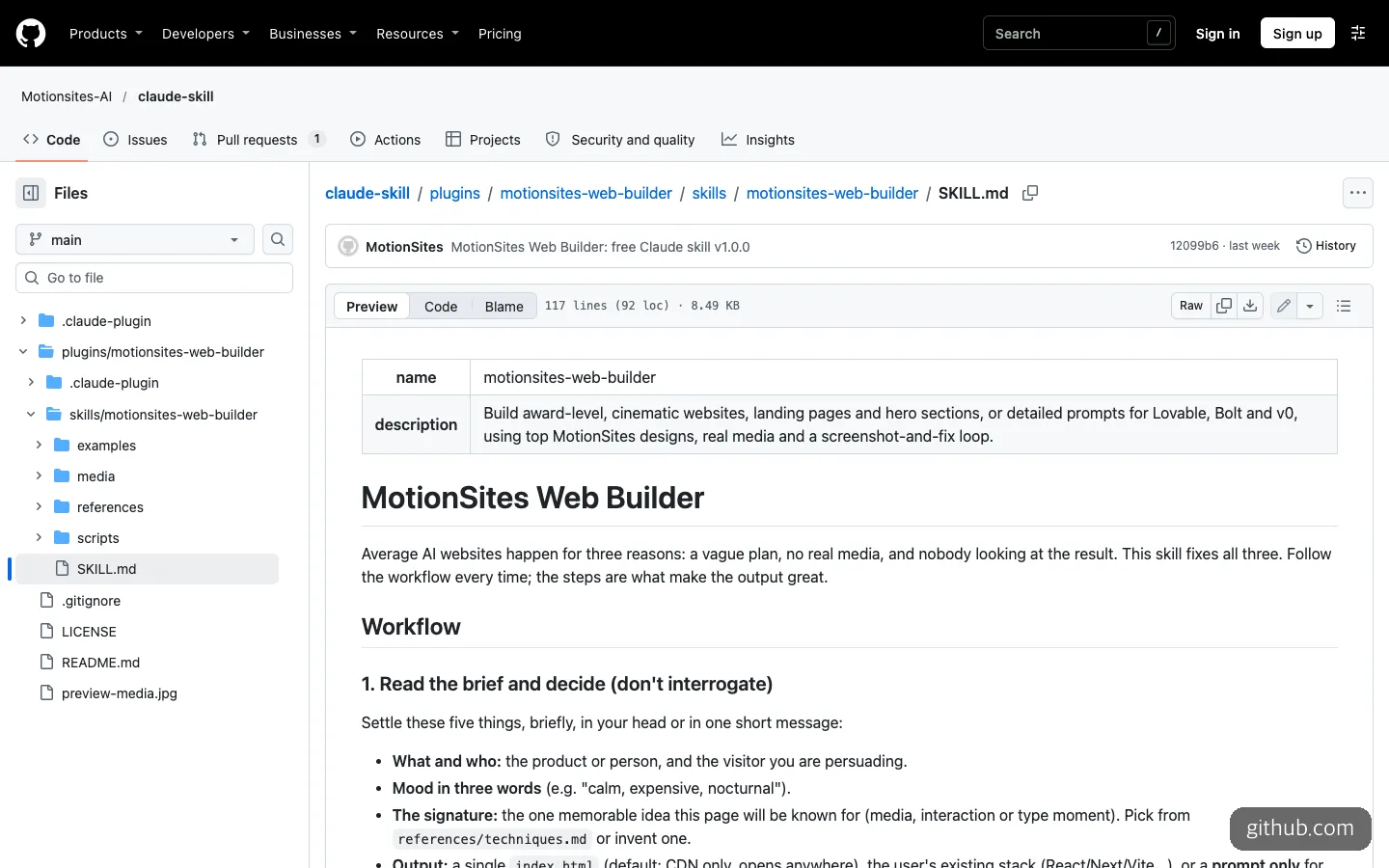
SKILL.md is only 117 lines, so you can read all of it before installing.
The default output is a single index.html file. Libraries load from a CDN with pinned versions, and the output is supposed to respect alt text, focus states, and the reduced-motion setting (prefers-reduced-motion). There are also rules against placeholder text (lorem ipsum) and emoji icons. There are four modes: Build, which makes the page directly; Prompt only, which writes just a spec for Lovable, Bolt, v0, or Cursor; Upgrade, which scores an existing page and rebuilds it; and Add sections, which adds sections to an existing hero while keeping its colors and fonts.
What’s Actually in the Free Sample
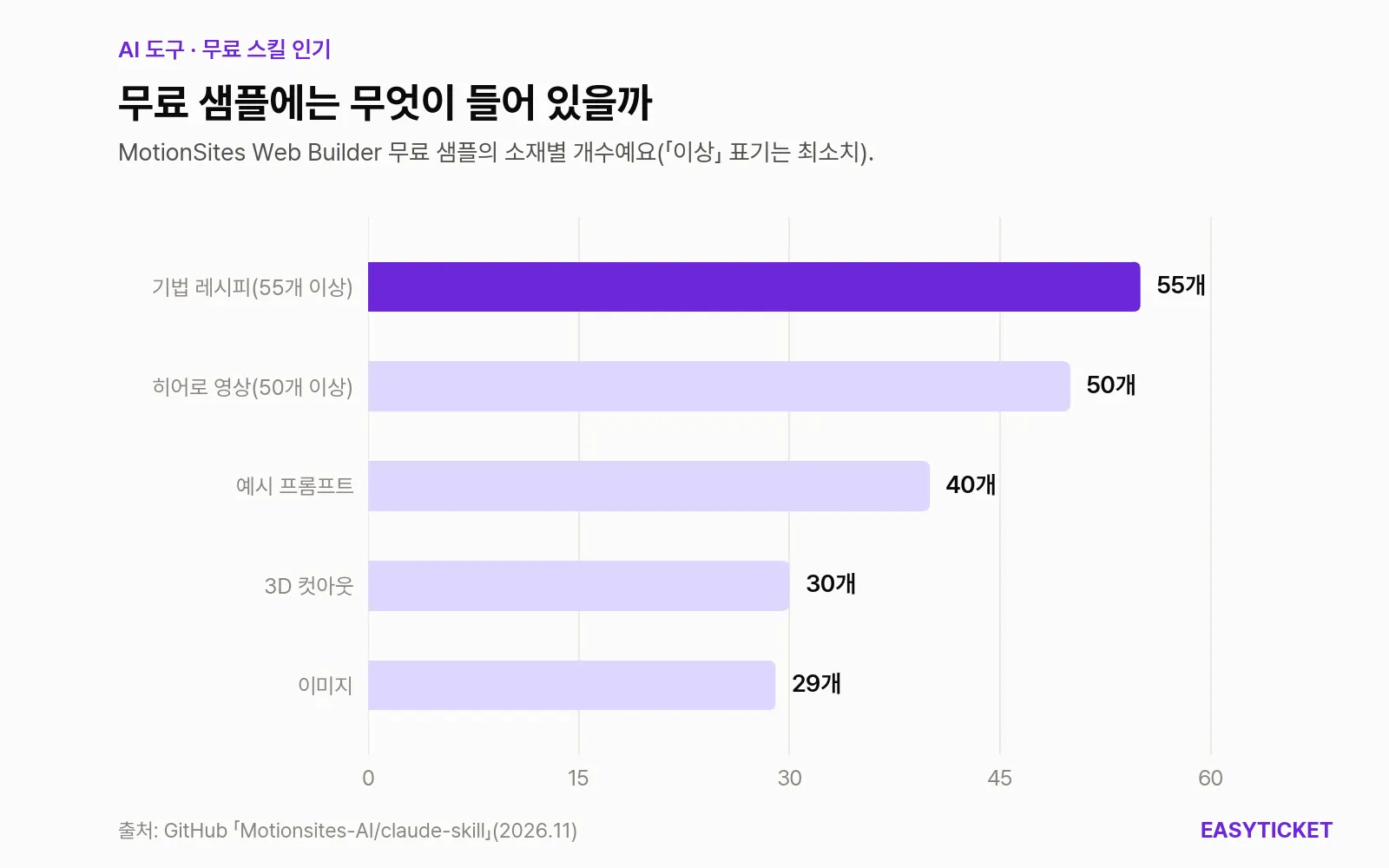
Number of assets in the free sample. Recipes and videos are the biggest groups.
The biggest chunks are technique recipes (55+) and hero videos (50+). The recipes include seamless video loops, liquid glass, headlines that blur in word by word, and Three.js 3D models. On top of that come 40 example prompts, 30 transparent-background 3D cutouts, and 29 images. The README says the design rules set font sizes, letter spacing, spacing, and motion timing as actual numbers.
A pitch circulating on X said the skill covers more than 700 website designs, but the free examples the README describes number 40. The 700 figure is best read as referring to the paid library.
When to Use It
It fits best in these cases:
- People who turn out landing pages with Claude often. The skill keeps to the sequence, so you don’t have to ask for spec writing and visual review every time.
- Side projects with no video or 3D assets. The biggest benefit is not having to source a hero video for, say, a single waitlist page.
- When you need a prompt for Lovable, v0, or Bolt. Prompt only mode writes a spec you can paste into those tools instead of writing code.
- When a page you’ve already built feels flat. Upgrade mode even does a before-and-after comparison.
It’s clearly a poor fit in other cases. If your company has brand guidelines and you can’t freely change colors and fonts, the skill’s strengths (dramatic assets and recipes) become obstacles. Information-dense screens like dashboards and admin pages are also far from this skill’s landing-page focus.
How to Use MotionSites Web Builder
All you need is Claude. According to Anthropic’s help documentation, skills are available on every plan, including the free one, and code execution must be turned on under Capabilities in settings. The docs don’t list an API key or GPU as a requirement.
On Claude.ai or the desktop app, download motionsites-web-builder.zip from the latest release, then go to Customize → Skills → + → Create skill → Upload a skill, upload it, and switch it on. In Claude Code, you type the two lines from the README exactly as written.
/plugin marketplace add Motionsites-AI/claude-skill
/plugin install motionsites-web-builder@motionsites
If the first line fails because you don’t have an SSH key, switch to the command below, which uses the repository’s HTTPS address.
/plugin marketplace add https://github.com/Motionsites-AI/claude-skill.gitTo run the screenshot loop properly, you need Python and Playwright (optional).
pip install playwright && python -m playwright install chromium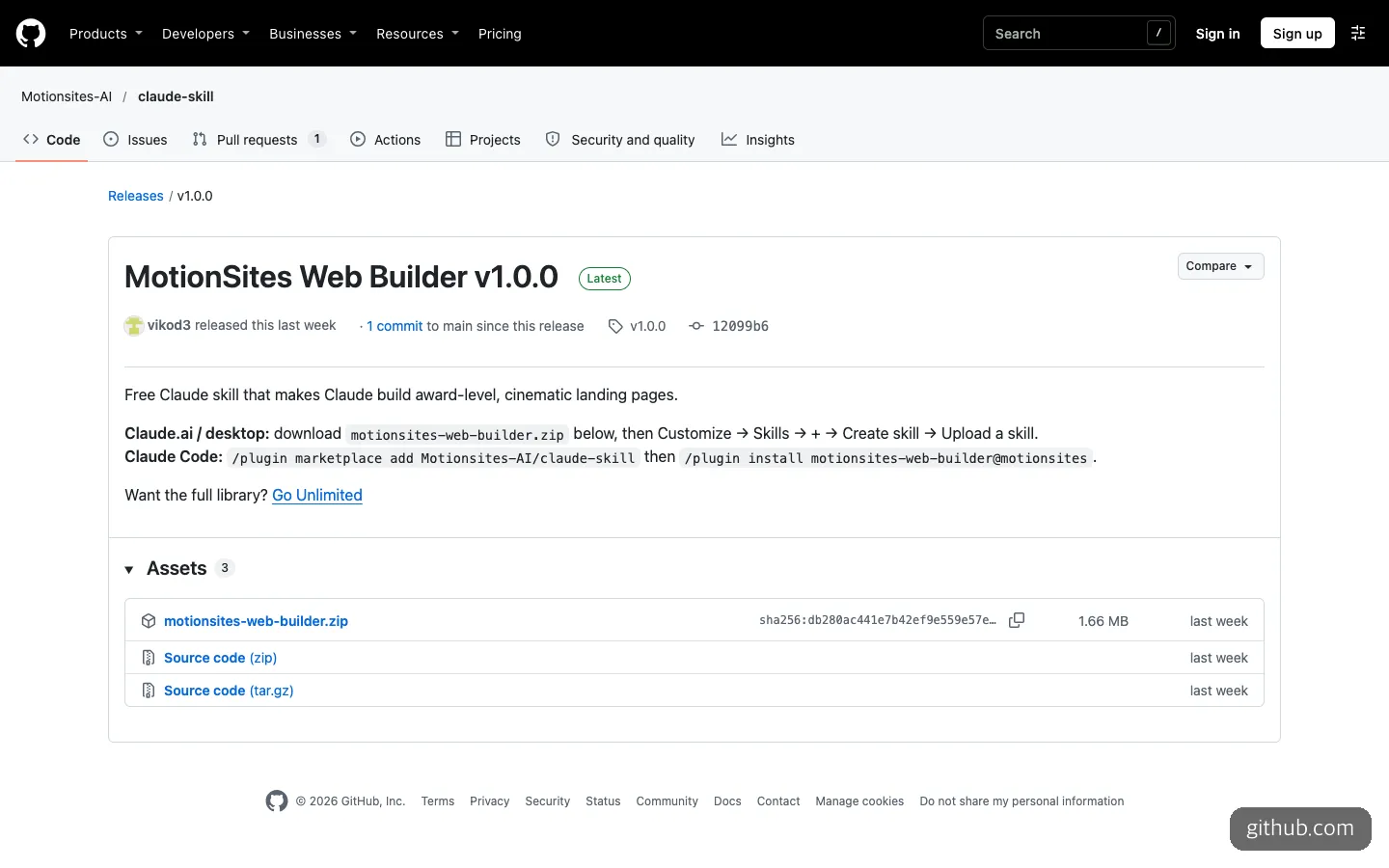
The v1.0.0 release page. It lists the zip for Claude.ai and the Claude Code commands together, with a Go Unlimited link at the end.
Your request can be short, but it helps to know that the first step in SKILL.md is “decide, don’t ask.” Because the skill decides on its own instead of asking you, anything you want fixed should go in from the start. Those are the five slots: the product and audience, three words for the mood, one memorable thing, and the form of the deliverable.
For a new page, a request that fills all five slots at once works best. For a waitlist page for an AI travel app, for example, you would give the audience (solo travelers in their 20s and 30s), the mood (calm, nighttime, expensive-looking), the hero format (video background), and the deliverable (a single index.html), then add a request to screenshot it at phone size and fix it when it’s done.
When you’re reworking an existing page, the request gets even shorter. Ask it to score the current page, rebuild it in Upgrade mode while keeping the colors and fonts, and show the before and after screens together.
Comparing the Official frontend-design Skill and a Fork
There are two more free options for the same problem: the frontend-design skill from Anthropic itself, and su-record/motionsites-skill, a community fork that strips the ads out of the original.
| MotionSites Web Builder | Anthropic frontend-design | su-record fork | |
|---|---|---|---|
| Made by | MotionSites (the vendor) | Anthropic | Community |
| Video and 3D assets | Included | None | Not included by default; optional download |
| Workflow | Study examples → spec → build → fix from screenshots | Write and review a design plan → build | Same flow as the original |
| Automated visual review | Yes (rubric, up to 3 rounds) | No | Based on the original |
| Paid-plan pitch | Once in the chat per result | None | None |
| Supported tools | Claude.ai, Claude Code | Claude | Claude Code, Codex |
The frontend-design skill focuses on steering you away from AI-looking patterns such as a cream background with terracotta and a run of similar rounded cards. If you want sharper design judgment without any assets, the official skill is the right pick. If you need materials like hero videos and the ads don’t bother you, the original is better. And if you also use Codex, the fork is the only option, though you should keep in mind that as of November 2, 2026, it’s a tiny project with zero stars.
The Paid Pitch Behind the Free Skill
The skill doesn’t hide its promotional setup. Under the rules in SKILL.md, a block advertising MotionSites’ paid plan (Unlimited) is added once to the chat each time it delivers a result. It isn’t placed in code, files, or comments, and if you tell it to stop, it stops for that conversation. There’s no requirement to put a credit in your footer, either. I didn’t verify this by running a conversation myself, so this is what the rules say. A Go Unlimited link also appears on the repository’s About link and in the release notes.
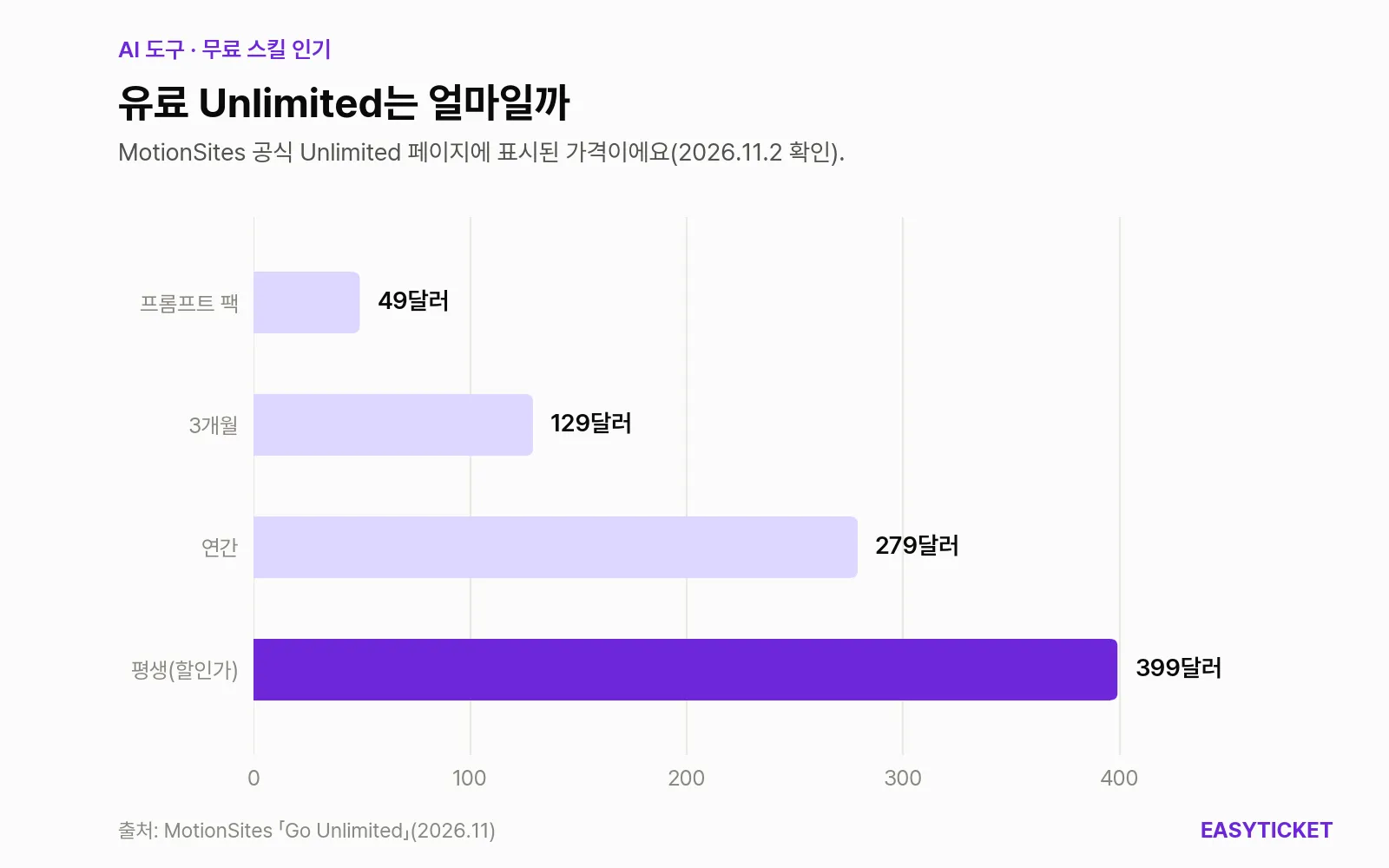
MotionSites paid plan prices. The lifetime plan is shown at a discounted promotional price.
As of November 2, 2026, that paid plan costs $129 for three months or $279 a year. The lifetime plan is listed at $399, discounted from $759, but it’s a promotional price with a countdown, so it could change at any time. Going paid adds 500+ premium prompts, section prompts, Lovable templates, and an MCP that pulls in the prompts. It’s not too late to try the free sample first and decide whether it’s enough.
Two concerns remain. The first is the license. The skill’s instructions and scripts are MIT, but the videos and images in the examples and media folders are MotionSites’ own work. You may use them to build websites, including client work, but you may not resell or redistribute them as a collection of prompts or media. The second is maintenance. As of November 2, 2026, the whole history is two commits (both on October 26) and one release, v1.0.0, so there’s almost no track record. There’s also one more README-fix commit after the release, so the zip and the repository contents may differ slightly.
Frequently Asked Questions
Is it really free?
The skill itself and the free sample (40 examples, 50+ videos, and so on) are free. You can use the skill on Claude’s free plan, too. More prompts and assets are in the paid Unlimited plan, and the pitch for it appears in the chat with every result.
Can I use the pages it builds on a client’s site?
Under the license, you can use them to build websites, including client work. What you can’t do is bundle the included videos, images, and prompts as a collection to sell or redistribute.
Can I use it in Cursor or Codex?
The original is for Claude.ai, the desktop app, and Claude Code. Cursor appears only as a target that Prompt only mode writes specs for, and Codex support exists only in the community fork.
If you’ve ever built a landing page with Claude, the fastest way to judge this skill is to send the same request again with it turned on and put the two results side by side.
Sources 8
AI helped with research and the first draft; the operator tried the subject firsthand, checked and edited this article before publishing. Let us know if you spot a mistake.