
Once you have four or so Claude Code sessions open, you end up flipping through tabs one by one to find out which window is waiting for your answer. The Herdr app is built for exactly that moment. It is a free desktop app from Herdr, an open-source project started by Can Celik. It gathers coding agents such as Claude Code and Codex, along with terminals, into one window, and a sidebar shows which agent is working and which is stuck (Apache-2.0; latest version 0.1.12 as of November 3, 2026).
At the bottom of the demo on the official site, there is a line that reads “9 agents · 1 needs you.” Nine agents are running, and one is calling for you. You could say that single line is everything the Herdr app is selling. One caveat: this time we did not install it and only went through the official site and the GitHub docs, so the judgments below are based on what the documentation says.
What is the Herdr app, and how is it different from the original Herdr?
Two products carry the Herdr name, so it helps to separate them first. The original is the terminal version (Herdr TUI), which GeekNews, a Korean tech news community, introduced in May 2026 as a “tmux-style terminal workspace.” It is a Rust program that runs inside an existing terminal such as Ghostty or iTerm. The Herdr app, the subject of this article, is a separate desktop app built on top of it. It was posted to GeekNews on October 30, 2026, as “a native app for managing terminals and coding agents in one place.”
The official site states clearly that the two programs are different. Agents run in the terminal version do not show up in the app, and the reverse is also true. If you already use the terminal version, moving to the app is less an upgrade than a fresh start.
Here is a summary of what the app does. It splits your work into spaces, tabs, and panels, and the sidebar shows each agent as working, blocked, done, or idle. Terminals keep running even after you close the window, which is why the site’s headline reads “Close it, they keep working.” You can also connect other machines over SSH and bring remote agents into the same sidebar.
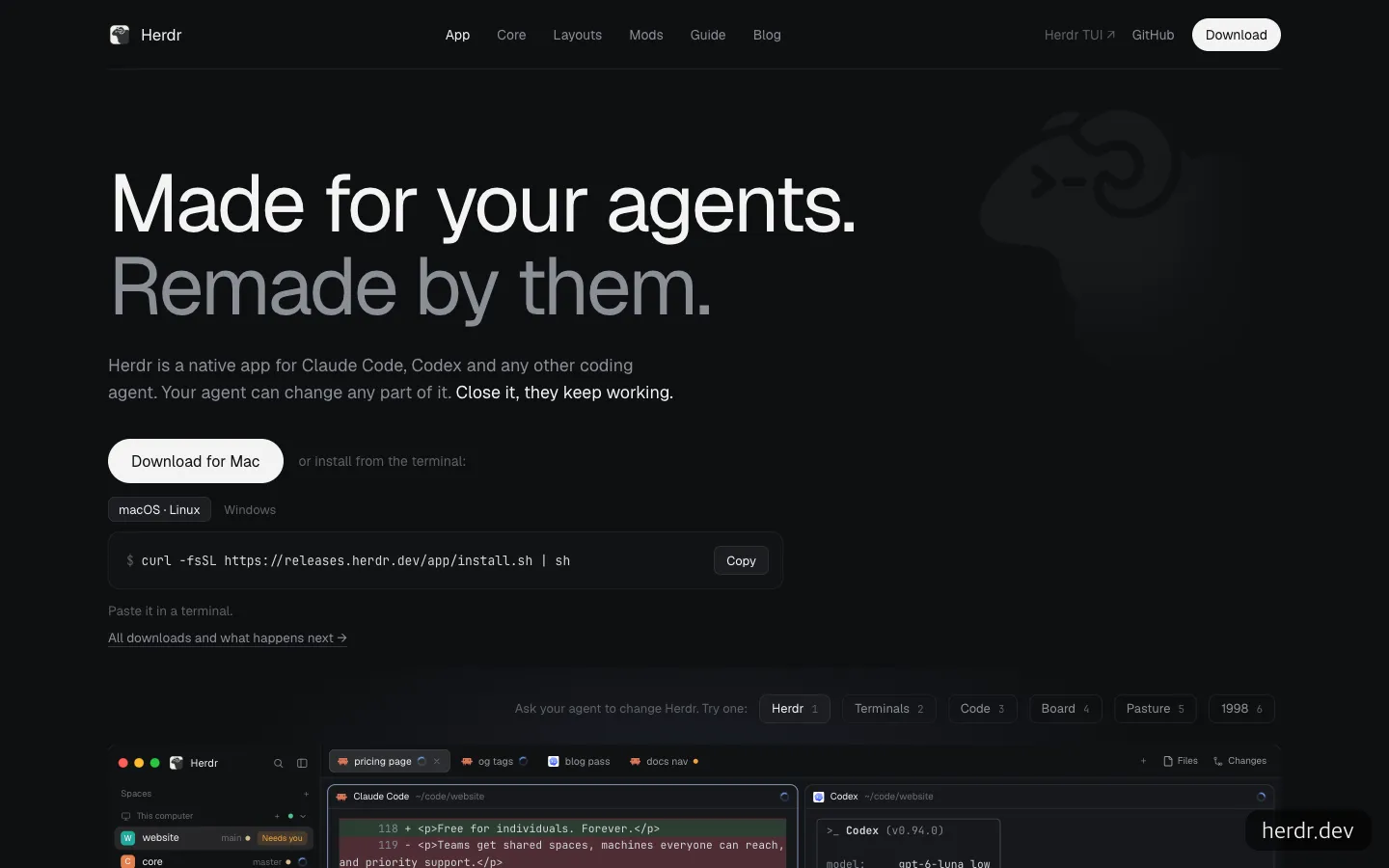
The top of the official site. In the demo below, Claude Code and Codex panels run side by side, and a “Needs you” badge appears in the sidebar.
The project’s background is also worth noting. According to the Herdr blog (August 6, 2026), the project, built by one person, passed 25,000 stars and 340,000 downloads, then joined the Y Combinator F26 batch. At that point the runtime license was changed from AGPL to Apache-2.0. Today the app, the underlying runtime (herdr-core), and the terminal version are all Apache-2.0, and the app is free.
When it’s a good fit, and when it’s still too early
The good fits are fairly clear.
- People who run three or four agents or more at once. A single sidebar badge replaces the time you spent flipping through tabs to check whether something was done.
- People who find tmux shortcuts a burden. The app brings tmux’s strengths, such as splitting panels and keeping work going after you close the window, into a mouse-driven app. One GeekNews user said they switched from tmux this year and won’t go back, citing that the app is not a “terminal inside a terminal.”
- People who want agents to direct other agents. With the underlying hc command, you can set up a flow in which Claude Code hands a review to Codex and gets the result back.
- People who work across a home computer and a server (VPS). Agents on connected machines appear in the same list.
There are also cases where it is still too early. If you are already comfortable with a workflow built on tmux and git worktree, the reason to switch is weak. A longtime tmux user on GeekNews wrote that they ran it inside tmux by mistake and ended up going back to tmux. And on an Intel Mac, or on Linux without a Vulkan driver, you get stuck at installation. The Mac build is for Apple silicon only, so Intel Macs have to build from source.
When status badges appear: OSC 7501
The app’s core feature, the “who is waiting for me” indicator, does not appear for just any agent. According to the official site, anything that runs in a terminal will launch, but status is reported only for agents that send OSC 7501, an open status protocol. It does not scrape the screen or keep a list of known agents. It trusts only the signals that programs send themselves.
On the Claude Code side, support for this protocol (Program Status Protocol) was added in the 2.1.295 entry of the official changelog. So on any lower version, it is safest to assume the panel will run but no badge will appear. It is also worth knowing that the app’s documentation does not separately state that Claude Code status display is confirmed.
There is one more trap. If you start tmux inside Herdr and run an agent in it, no status is reported. The site also tells you to run agents directly in a Herdr panel. The GeekNews user who went back to tmux ran into exactly this.
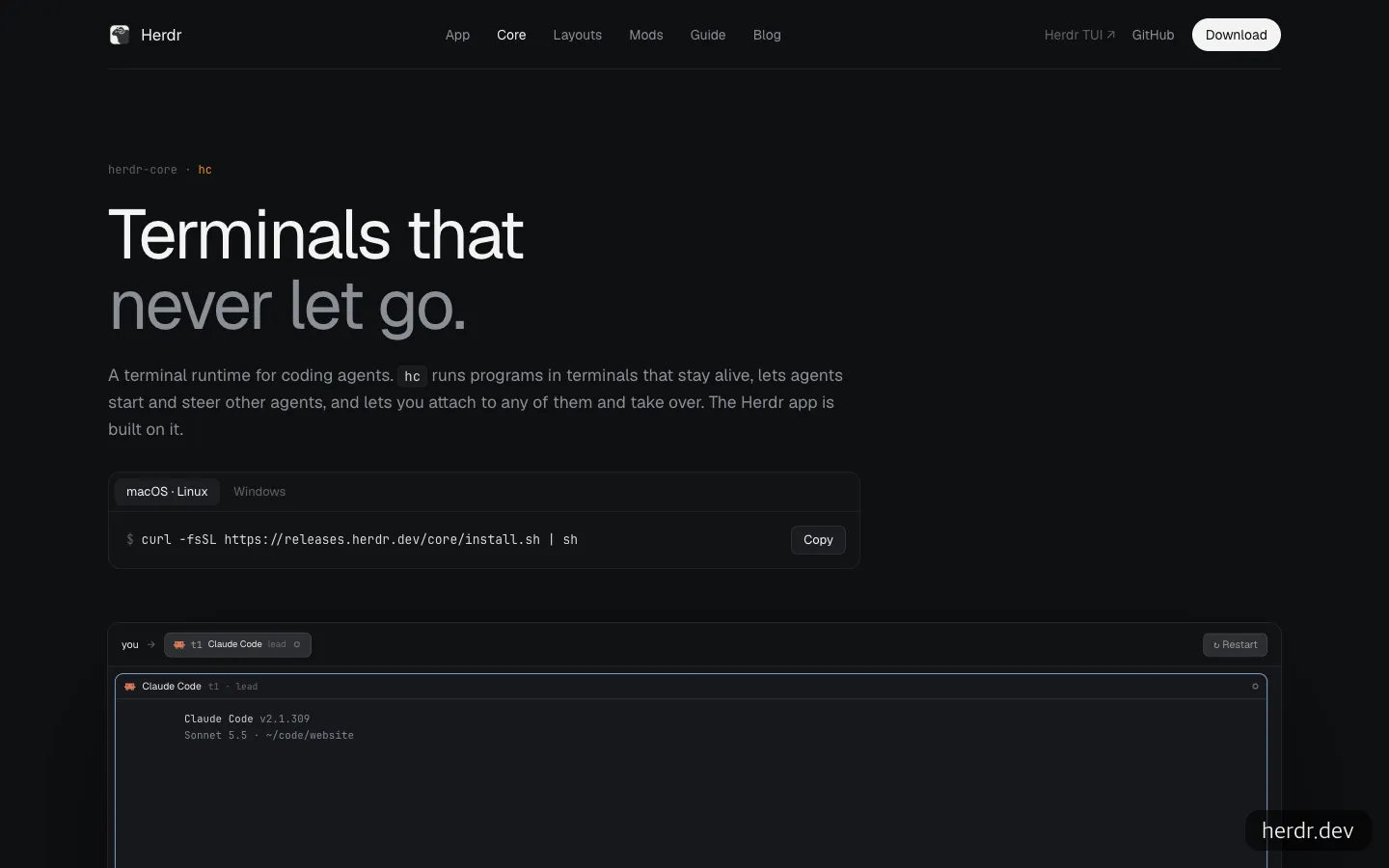
The intro screen for herdr-core (hc), the foundation of the app. It is built so that agents can launch other agents and a person can step in.
How to get started with the Herdr app, and what to ask your AI
You don’t need much to get started. You need one of the following: an Apple silicon Mac, x86-64 or ARM64 Linux (with a desktop environment and a Vulkan driver), or Windows 10 1803 or later on x64. No API key or payment is required. You keep using whichever agents you already use, so the only thing to check is that Claude Code is at 2.1.295 or higher. The install commands in the README are as follows.
# Mac and Linux
curl -fsSL https://releases.herdr.dev/app/install.sh | sh

# Apple silicon Mac (Homebrew)
brew install --cask herdr-app
# Windows PowerShell
irm https://releases.herdr.dev/app/install.ps1 | iexIf you hand the installation to Claude Code or Codex, it works best to put what to check and what to turn off into a single request. Ask it to first check whether the Mac is Apple silicon and, if so, install with Homebrew. Then ask it to check that Claude Code is 2.1.295 or higher and upgrade it if not. Finally, ask it to add "telemetry": false to the settings.json file to turn off usage stats. Listing these three steps in order is enough.
If you want agents inside the app to pass work to each other, the trick is to have them read the manual first. hc --skill prints the full manual for agents. After the agent reads that output, ask it to hand a review of the current branch’s changes to Codex in the background and to send the result to this panel when it finishes.
The example on the official site, hc run --bg codex "review my diff. Done: hc send t1", is exactly that request turned into a command. The app’s look (layout and shortcuts) is also just ordinary files in a settings folder, so having an agent edit it, as in “move the sidebar to the right,” is a use case the site promotes.
How it differs from tmux and Claude Squad
Among tools that do similar things, the first to come to mind are the original Herdr TUI and Claude Squad, which uses tmux and git worktree to run each agent on its own branch.
| Item | Herdr app | Herdr TUI | Claude Squad |
|---|---|---|---|
| Form | Desktop app (GPU rendering) | Rust program inside an existing terminal | Terminal app on top of tmux |
| Status detection | OSC 7501 signals only | Integration or screen reading (screen reading for Claude Code) | Per tmux window launched for each agent |
| Work separation | Spaces, tabs, panels | Workspaces, panels | git worktree and branch per agent |
| License | Apache-2.0 | Apache-2.0 | AGPL-3.0 |
| Requirements | Apple silicon Mac, Linux (Vulkan), Windows x64 | Mac or Linux terminal | tmux, gh (GitHub CLI) |
The fork in the road is whether you split branches in one repository and run them in parallel. If that workflow is your focus, Claude Squad, which sets up worktrees by default, is a better match. If you want to see agents from several projects and several machines in one list, the Herdr app comes out ahead. According to the terminal version’s docs, Claude Code status is judged by reading the screen, while the app drops that approach and trusts only signals. So if your versions line up, its judgments may be more accurate, but for tools that send no signal, it will simply look blank.

Compared with the original terminal version of the same name, the desktop app is still just getting started.
As of November 3, 2026, the GitHub stars stand at 47,500 for the terminal version, 8,700 for Claude Squad, and 1,600 for the Herdr app. The app’s small number reflects how new it is rather than a lack of popularity. On the same day, the repository’s latest commit was stamped an hour or two earlier, a sign of how quickly work is moving.
Four things to weigh before you switch
Mods carry your full permissions. The extensions that modify the app (mods) are JavaScript. The security docs say they can run programs, fetch URLs, and read files, and that they do not ask permission for each action. The docs urge you to read a mod someone else made the way you would read a shell script before installing it. The settings folder is also not encrypted.
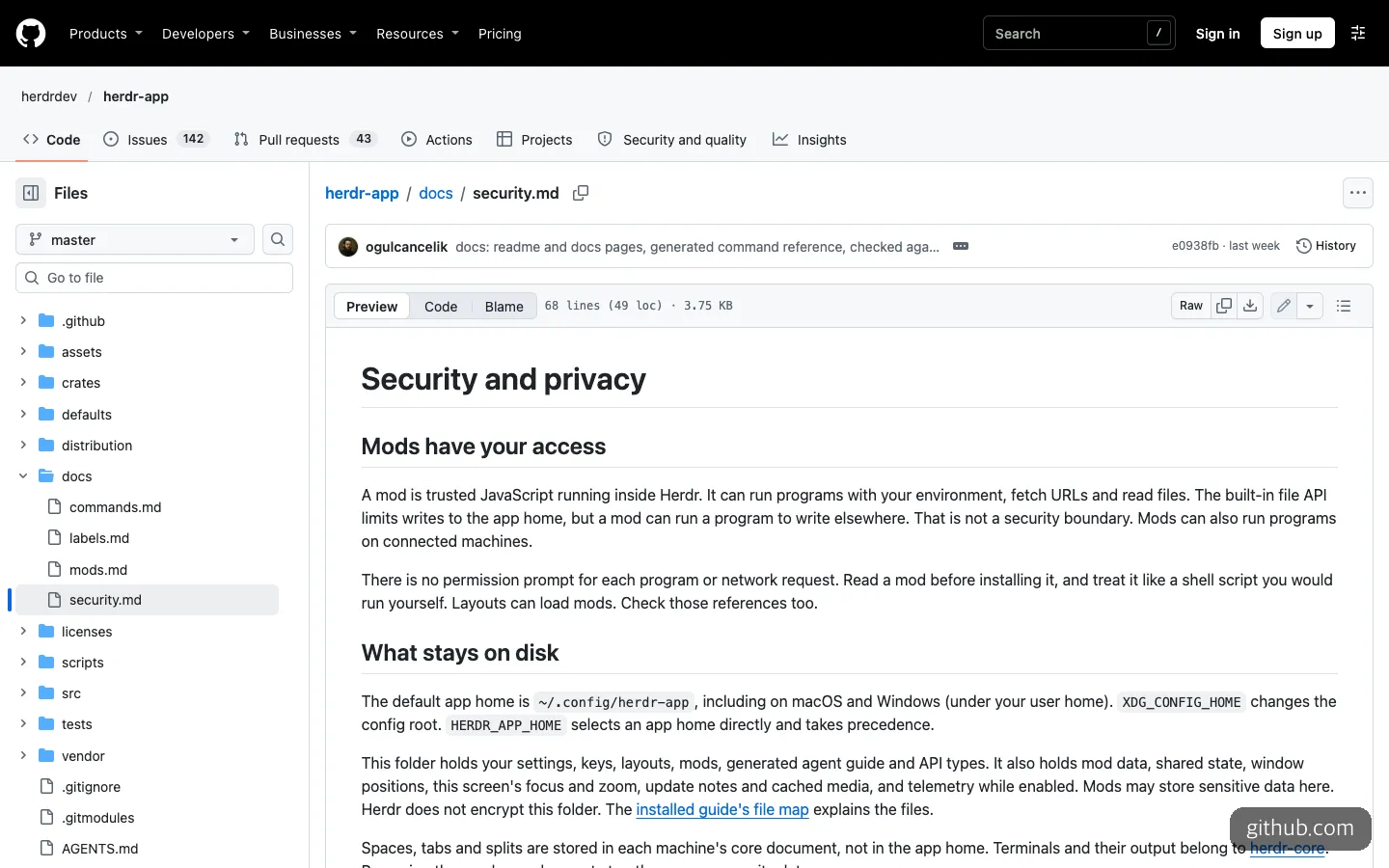
The first section of the security docs. It says mods can run programs with your permissions, with no permission prompt.
Usage stats are on by default. Once a day, it sends the version, operating system, and rough usage, and it says it does not send terminal contents, prompts, files, or folder paths. You can turn it off with any one of the following: Privacy in Settings, "telemetry": false in settings.json, or the environment variable DO_NOT_TRACK=1.
Auto-updates are not signature-verified. According to the docs, it only uses a SHA-256 checksum to confirm the file is not corrupted, and the docs themselves state that this is not a cryptographic signature. We could not find a way to turn it off in the docs. On GeekNews, some users also voiced concerns about supply chain risk, the lack of a proper installer and uninstaller, and commercialization after the funding round.
It is still in the 0.1 series. GitHub has no formal releases page, only nine tags, so to find a version and its date you have to dig through the commit history or CHANGELOG.md. The README also notes a limitation: after a reboot or if the core dies, panels reopen as a new shell in the last folder, and agents that were running are not revived. We also found it a shame that the first screen doesn’t make clear that the site’s “Download for Mac” button is for Apple silicon only.
EasyTicket’s verdict is this. If you keep three or four Claude Code sessions or more open at all times and “who is waiting for me” is your biggest annoyance, it is well worth trying now. Still, it is safer to run it alongside your current tmux or Claude Squad setup for a day before you move over.
Frequently asked questions
Is the Herdr app free?
Yes. According to the official site, the app is free, and the app, herdr-core, and the terminal version are all Apache-2.0 open source. Agent fees, such as a Claude subscription, stay what you were already paying.
Can I use agents other than Claude Code?
Anything that runs in a terminal will launch. The official site’s demo also shows a Codex panel. However, status badges such as working or waiting for input appear only for agents that send OSC 7501 signals.
Can I continue using agents I ran in the terminal version of Herdr inside the app?
No. The official site says the two programs are separate, so agents from one don’t appear in the other. Moving to the app means starting fresh.
Can I use it on an Intel Mac?
Installers exist only for Apple silicon, so on an Intel Mac you have to build from source. According to the README, you need Rust 1.95.0, Zig 0.16.0, and just, and a build made this way does not update itself.
Sources 8
AI helped with research and the first draft; the operator tried the subject firsthand, checked and edited this article before publishing. Let us know if you spot a mistake.