
A wizard slams his staff down, blue ice crystals burst from the floor in three layers, and a scarecrow flinches and freezes for 0.1 seconds. There isn’t a single PNG in this 3.4-second scene. pixelfx is a pixel art effects library that Patch (patch.gg) released on GitHub on October 30, 2026. It packs 244 effects, including fire, explosions, magic, weather, and UI, into small JavaScript files, and it ships under the MIT license along with a Claude Code skill for creating new effects.
Code instead of images is the whole point of this tool. An art file you buy is hard to modify, but code is something you can hand to an AI coding tool with a request like “change the color” or “make it explode harder.”
Why all 244 effects are code
According to the README, one effect is one file (src/fx/category/name.js), and nothing depends on anything except src/core. The files come in two kinds. Pure effects are drawn as a function of time t alone, so they loop without a visible seam. Simulation effects, the ones with particles, smoke, and debris, are calculated at 120Hz. All randomness comes from a seed, so the same frame always renders identically no matter when you draw it. That makes it easy for a person to compare what an AI has changed.
It also took off fast. According to Trendshift, a site that tracks GitHub trends, the repository gained 4,510 stars between October 29 and November 4, 2026. On its biggest day, November 1, it picked up 1,149 stars alone, ranking 7th overall and 2nd among JavaScript projects that day. As of November 4, 2026, the repository shows 4.5k stars and 601 forks.
The project is clear about where its work comes from. NOTICE.md says the simulation core (sim.js) and some of the effects are adapted from Sprite Fusion’s open-source pixel art VFX (Hugo Duprez, MIT). It also says the character animation layer (act.js) borrows the 12fps pose and hit-stop approach from an MIT project called Hollow Crown.
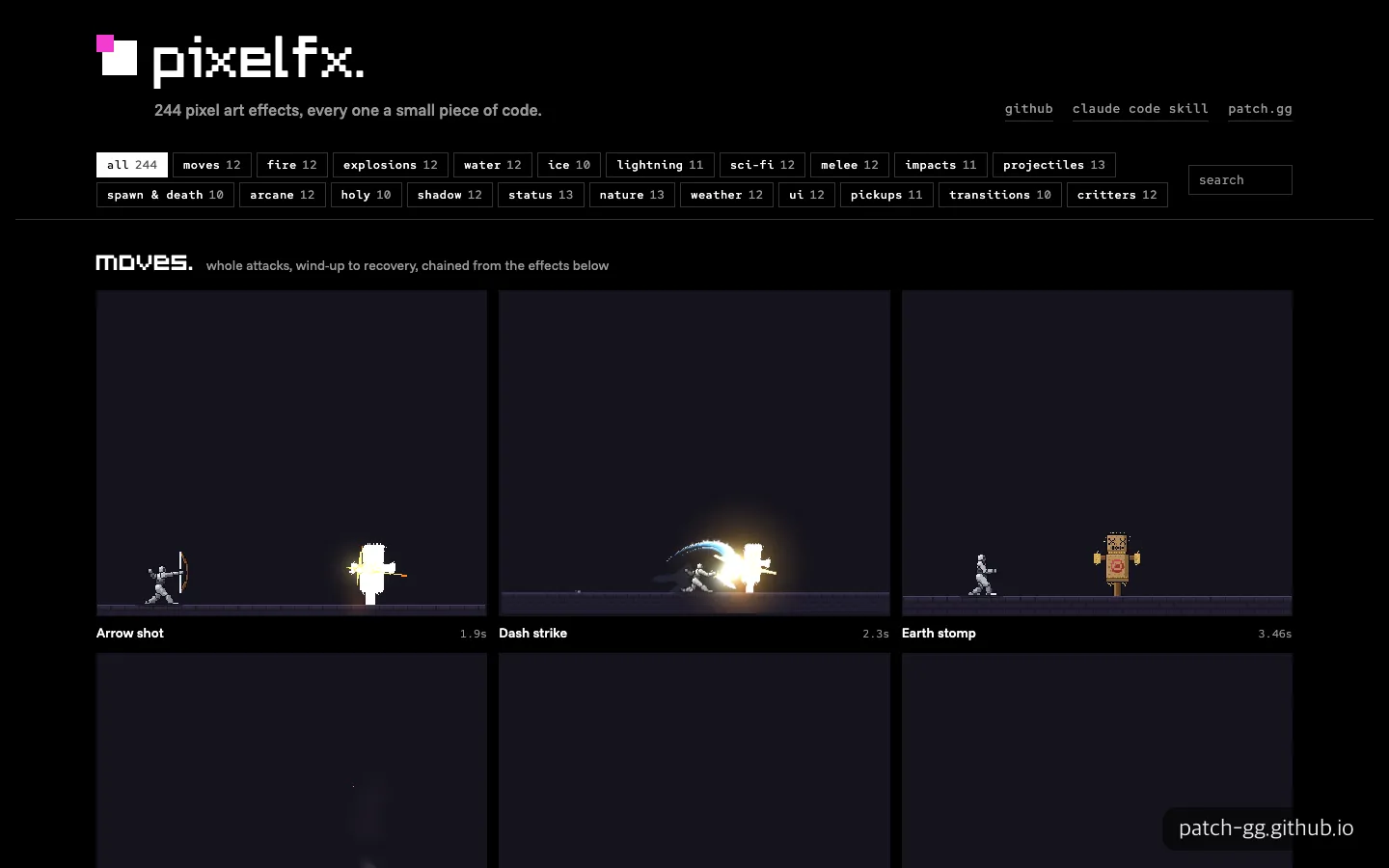
The gallery’s first screen. Each category tab shows its effect count, and each card shows its playback length.
When pixelfx is a good fit
It works well in these cases.
- When you’re building a 2D game that runs in the browser. The README says it works with games drawn on a canvas, such as canvas, Phaser, PixiJS, Kaplay, and three.js. Pasting the code in directly is the shortest path here.
- When you’re making a Godot or Unity game and have no effect assets. The effects don’t run as code inside those engines, but if you export them as a transparent PNG grid plus Aseprite-format JSON, the Aseprite importers in Godot and Unity can read them.
- When you want to generate several versions of an effect and compare them. Changing just the palette and seed produces a different version, so a request like “make five coin sparkles and pick the best two” works (this is also an example the README itself gives).
- When you already use Claude Code. The dedicated skill is built to loop through drafting, rendering, checking by eye, and refining.
The cases where it doesn’t fit are just as clear. If you want effects that attach to your own character’s body right away, lower your expectations. The effects drawn on the body are fitted to a default gray dummy (24×38 pixels), and the README itself says to rebuild them for your own character before release. And if you want to make effects purely with sliders and never touch code, the commercial tool in the next section is a closer match.
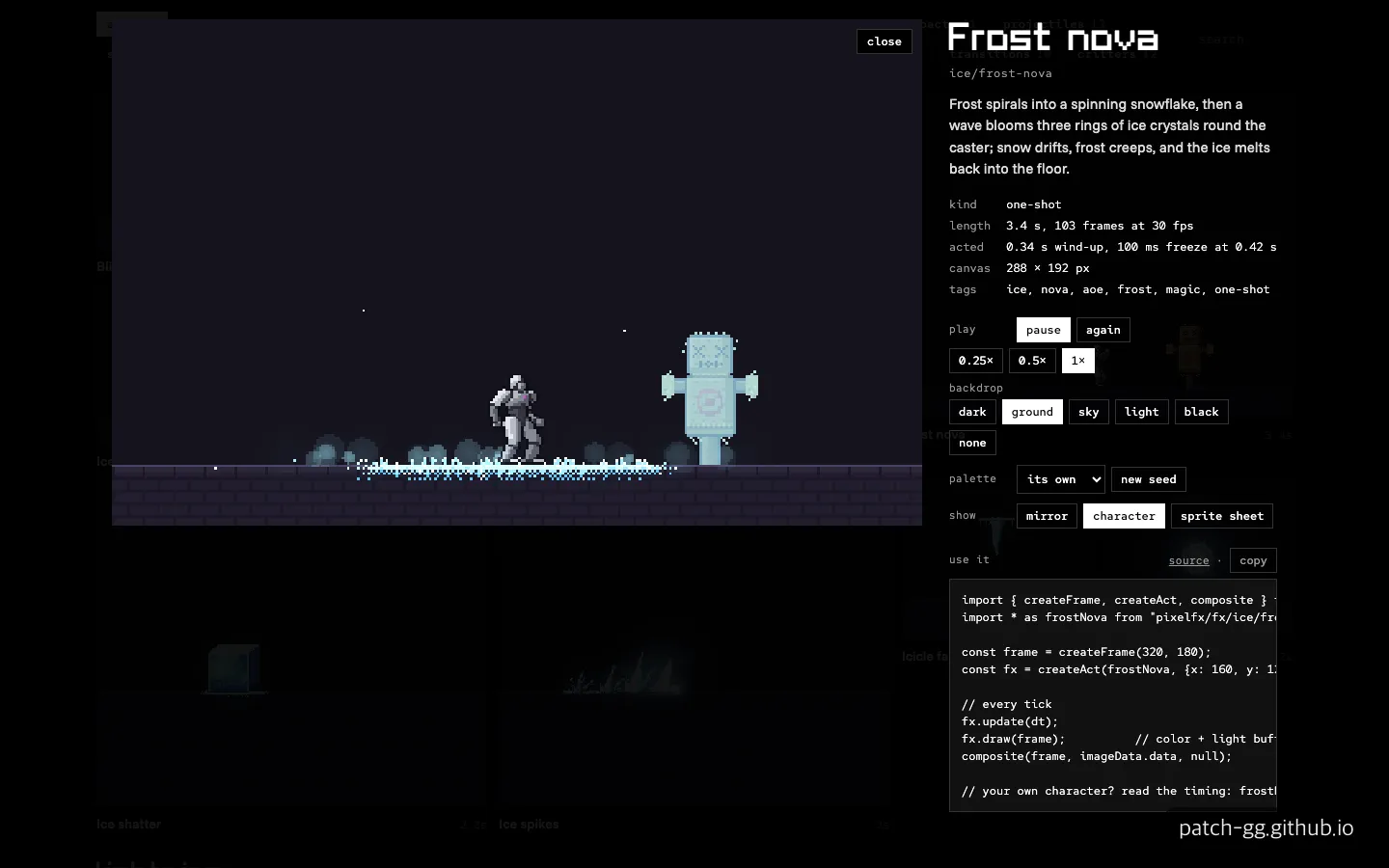
The Frost nova detail window. The right side shows duration, frames, and canvas size, buttons for background, palette, and flip, and the code you can take with you.
Browse the gallery first
Before installing anything, stop by the official web gallery. It opens without a login, and after about 5 seconds the cards all start moving. There are more than 20 category tabs, including moves, fire, explosions, ice, weather, pickups, and critters. The first tab, moves, holds 12 full skills that run from wind-up to recovery, such as shooting an arrow, a charging slash, and a ground slam. Each card carries a label like 1.9s or loop, so you can tell right from the list whether an effect plays once or repeats.
Open the Frost nova card and the info panel lists 103 frames at 30fps, a 0.34-second wind-up, and a 100ms pause at the 0.42-second mark. That is the acting feature added in 0.3.0. Playback speed (from 0.25×), background, palette, new seed, and left-right flip all take effect the moment you click them, and you can copy the code from the “use it” box below.
The sprite sheet button turns out to be more useful than you’d expect. Click it and the frames spread out in nine columns over a transparent checkerboard, so before exporting you can follow the flow with your eyes, from a small light growing into a pillar of light, then spreading into an ice disc and fading away. Note that this is only a visual preview. The actual PNG and JSON files are generated with the commands in the README.
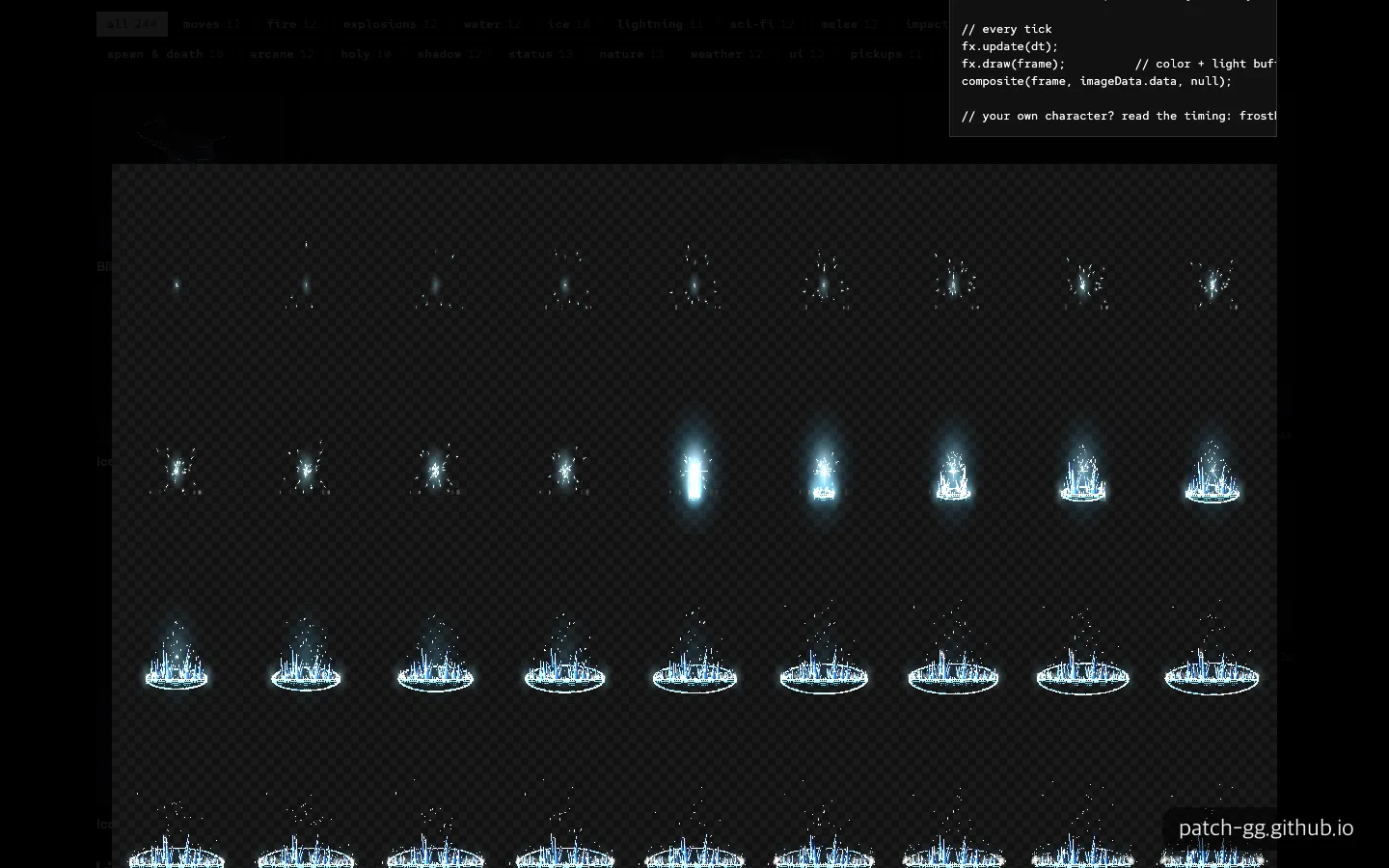
The frame grid unfolded with the sprite sheet button. You can preview the flow from a small light to an ice disc.
There were a few drawbacks too. When you open the detail window, the list behind it shows through dimly, which looks a bit cluttered, and the sprite sheet sits far down the window, so you have to scroll a long way. The “use it” code box is narrow, so long lines get cut off on the right, and the whole interface is in English only.
Using pixelfx: what you need and what to tell the AI
The requirements are short. You need Node.js 18 or later, and there are no runtime dependencies. The README mentions no API key or paid component, and to use the skill you need access to Claude Code. EasyTicket did not run the commands below ourselves. They are exactly as written in the README.
To add it to your project, install it like this, or copy just src/core and the effect files you need.
npm i github:patch-gg/pixelfxYou make an engine-ready sprite sheet with this command. It has --gif, --mp4, and --all options, and node tools/sheets.mjs exports the entire library.
node tools/render.mjs ice/frost-nova --sheetYou install the Claude Code skill in two lines inside Claude Code.
/plugin marketplace add patch-gg/pixelfx
/plugin install pixelfx@pixelfx
To make a new effect, scaffold it with node tools/new.mjs arcane/my-spell, then run node tools/check.mjs <id> to catch pixels that spill outside the bounds, seams, unseeded randomness, and slow frames. This checker is what makes the tool a good one to hand to AI. You don’t have to inspect every result the AI produces, because there is now a single standard to check against.
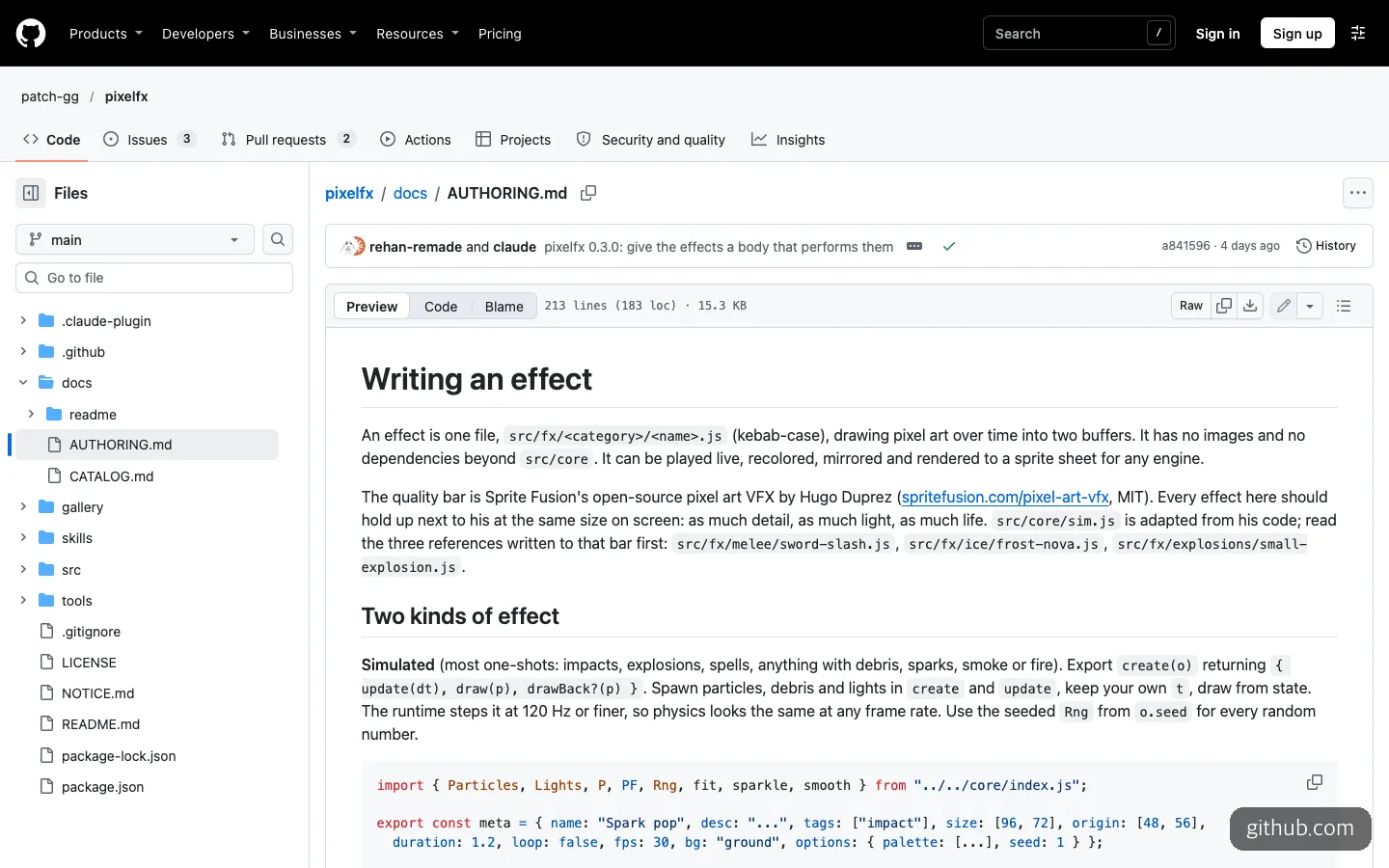
AUTHORING.md, which lays out the rules for making a new effect. It’s the document to have the AI read first.
When you make a request, the key is to have the AI read the rules document and reference files first. Along with the quality standards, docs/AUTHORING.md names sword-slash.js, frost-nova.js, and small-explosion.js as the files to read first.
It’s cleanest to split your request into two parts. For a new effect, have the AI read AUTHORING.md and src/fx/ice/frost-nova.js first, then tell it the scene you want (for example, a purple lightning bolt striking the ground, played once) and where it should go (arcane/purple-strike), and add that it should keep fixing the effect until it passes check.mjs. To move an existing effect into an engine, it’s enough to give the category to export (fire, explosions, and so on), the engine to target (Godot, for example), and a few palette color codes to match.
How it differs from similar tools
There are two worth comparing. One is Sprite Fusion’s Pixel Art VFX, whose approach pixelfx borrowed. The other is Pixel FX Designer, a desktop tool that has been on sale since 2018.
| pixelfx | Sprite Fusion Pixel Art VFX | Pixel FX Designer | |
|---|---|---|---|
| Form | Code library + Claude Code skill | Effect collection + MCP server | Desktop program |
| Number of effects | 244 | 25 | You build your own |
| Price and license | Free, MIT | Free, MIT | Paid (₩11,000 on Steam) |
| How you make effects | Ask AI to edit or generate code | Connect an AI agent or pass it a ZIP | Sliders and buttons |
| Export | Sprite sheet, GIF, MP4 | Code that the agent uses | Sprite sheet, frame images, GIF |
(As of November 4, 2026)
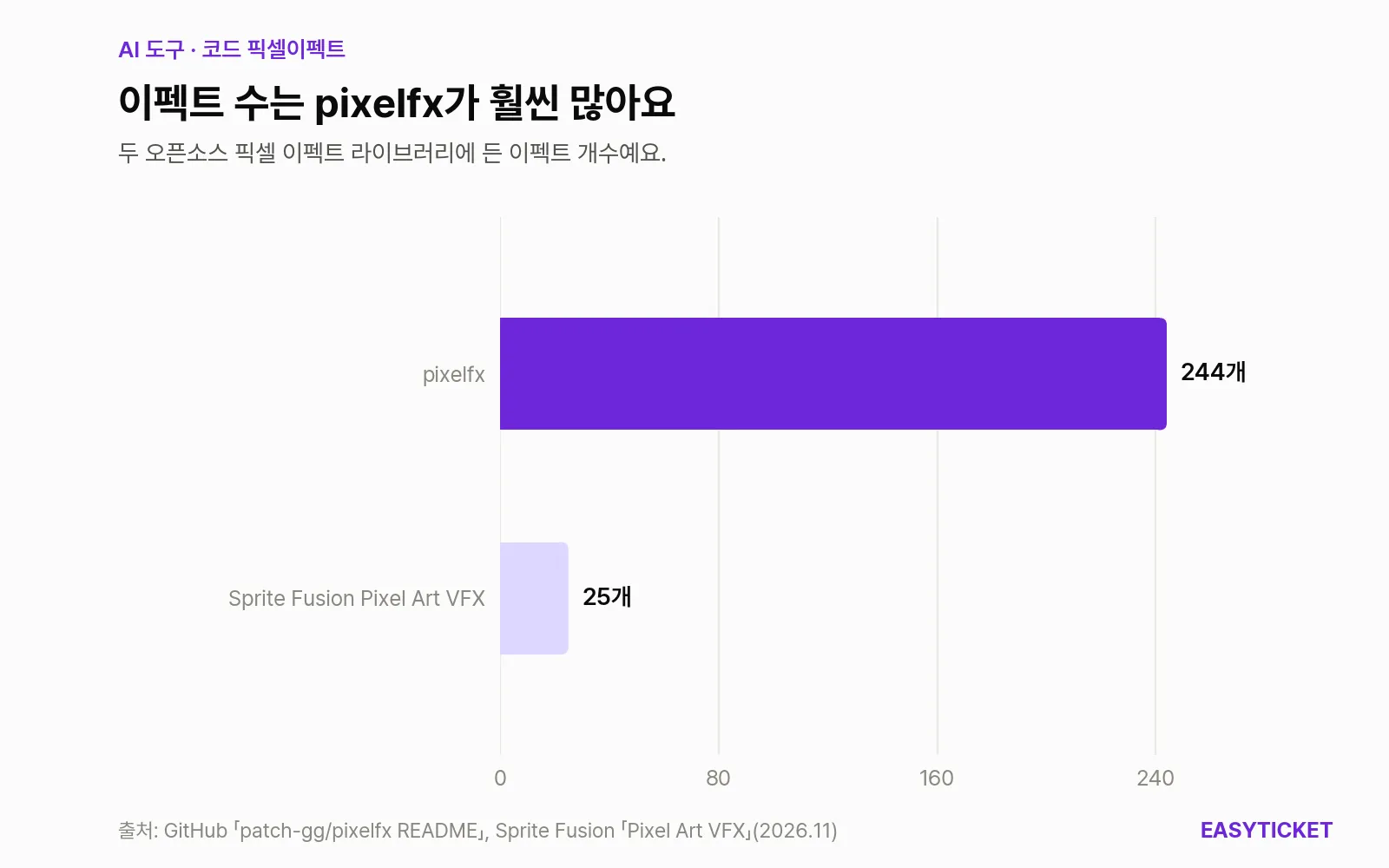
A comparison of the number of effects in the two open-source pixel effect libraries.
As the chart shows, pixelfx has nearly ten times as many effects. Sprite Fusion, on the other hand, is the original that pixelfx itself uses as its quality benchmark, and since you attach its server with claude mcp add, you don’t even need to download a repository. The reasons to pick each one split like this. If you need a wide variety of effects and want to export the results as files, choose pixelfx. If you only need a few polished ones, choose Sprite Fusion. If you want to avoid code entirely, choose Pixel FX Designer.
Barely a week old: what to know before using it
The first thing to look at is maturity. According to the commit history, the first commit was on October 30, 2026, the last was on October 31, and the main branch has only 8 commits. GitHub Releases has no published versions, and the only version is the 0.3.0 listed in package.json. Several forks with the same name are also circulating, so when you download it, it’s safer to confirm the repository belongs to the patch-gg account.
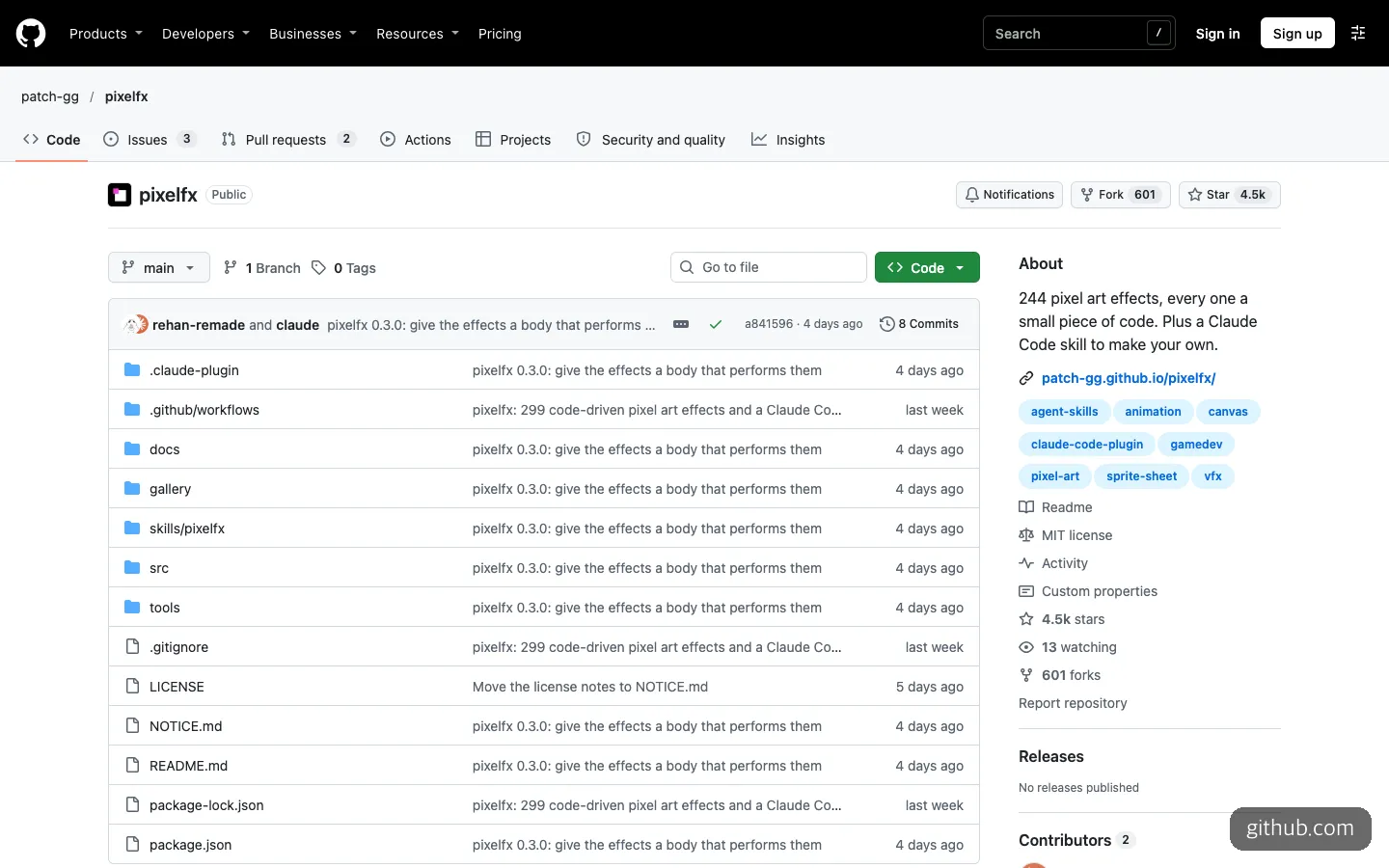
The repository’s first screen. 4.5k stars, an MIT license, and nothing yet in the Releases box on the right.
The license is MIT for both the code and the effects, and the LICENSE file lists Patch and Hugo Duprez together as copyright holders. There is one exception. The Patch Pixel font used in the gallery is not covered by this MIT license and has separate terms. If you plan to move the whole gallery folder onto your own site, leave the font out.
Performance figures and hardware requirements appear in neither the README nor the gallery. If your game shows many effects on one screen, you’ll need to measure for yourself whether the frame rate holds up on real devices.
Frequently asked questions
Is pixelfx free?
Yes. Both the code and the effects are under the MIT license, so you can use them in commercial games as long as you keep the copyright notice. Only the gallery’s Patch Pixel font has separate terms.
Can I use it without Claude Code?
Yes. Copying code from the gallery or installing it with npm doesn’t require Claude Code. The skill mainly saves you effort when creating or editing effects, and with Cursor or Codex you can also have the tool read AUTHORING.md and work under the same rules.
Can I use it in a Unity or Godot game?
Yes, through sprite sheets. The README says the Aseprite importers in Godot and Unity and Phaser’s atlas loader can read the output. The effects don’t run as code inside the engine, so to change a color you have to export again.
A good way to start is to pick one effect in the gallery that suits your game’s mood, then make your first request to the AI with that file’s name.
Sources 6
AI helped with research and the first draft; the operator tried the subject firsthand, checked and edited this article before publishing. Let us know if you spot a mistake.