
Ask Claude Code to “make me a modal window,” and it often hands back a pile of overlay divs and JavaScript to open and close them. This happens even though browsers already have the <dialog> tag and the Popover API. Modern Web Guidance is an open-source skill collection that the Google Chrome team first previewed at Google I/O in May 2026 and released as 1.0 on November 10. It feeds web platform knowledge and browser compatibility data to coding agents such as Claude Code, Codex and Cursor, so they use current browser features instead of outdated patterns.
This time I didn’t install and run it. I judged it by reading through the repository, the official docs and the guide texts. The short version: if you hand screen-building work to AI, it’s a tool worth installing.
A guide bundle written by Chrome, Edge and Firefox together
The README’s premise is simple. Much of the code AI learned from is outdated, so agents end up producing more JavaScript than they need. The title of the Hacker News post introducing it was “Getting coding agents off 2019-era JavaScript.”
So the tool bundles guides that an agent can pull up and read while it works. As of the November 12, 2026 README, it covers about 250 web features and 203 use cases. The maintainers listed are the Google Chrome, Microsoft Edge, Mozilla Firefox and MDN teams, with Edge and Firefox joining as of 1.0. The licensing is split in two: the program code is Apache 2.0, and the guide documents are CC-BY 4.0.
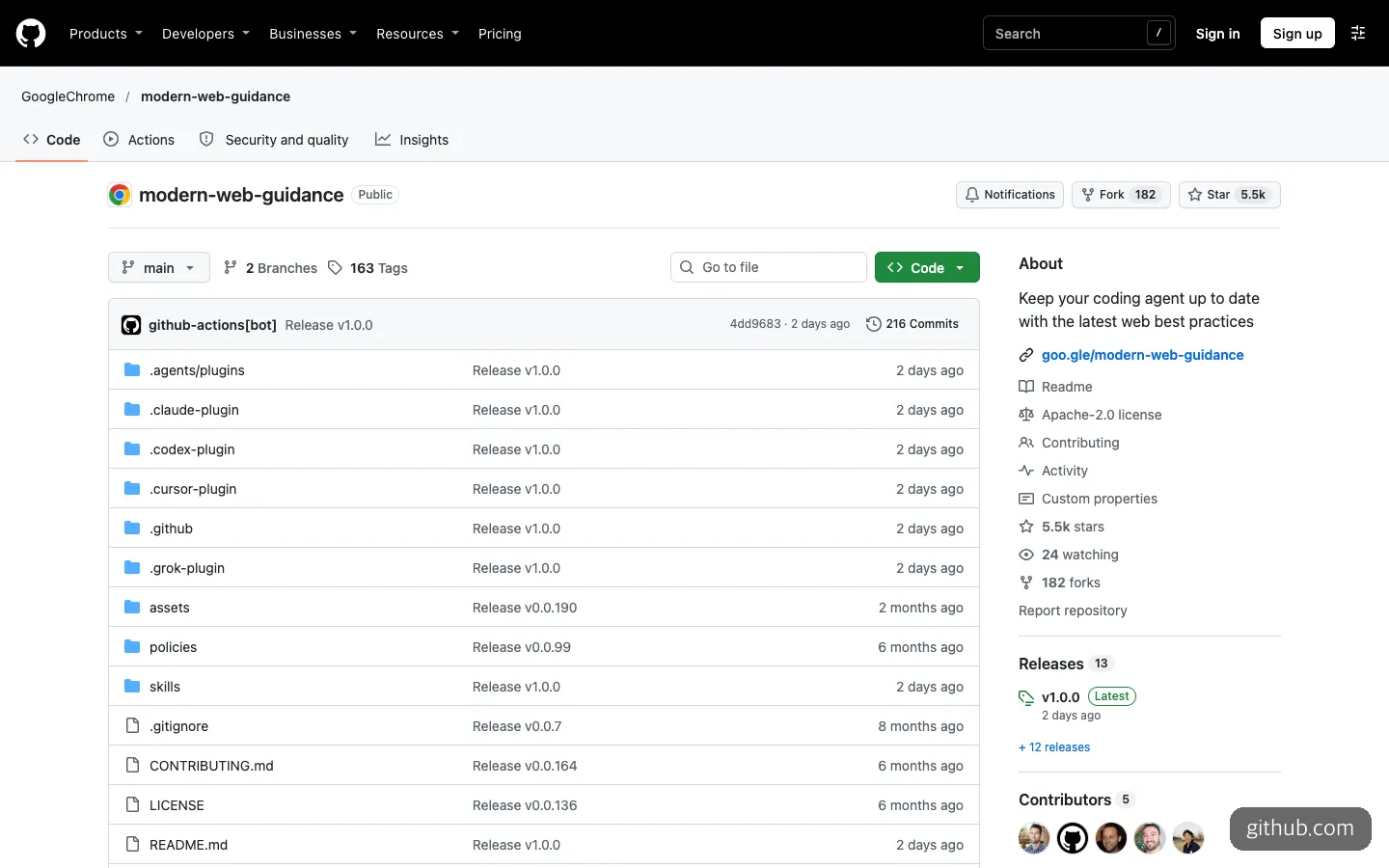
The repository front page. There are separate plugin folders for Claude, Codex, Cursor and Grok.
As of November 12, 2026, the GitHub star count is 5.5k and there are 13 releases (the latest is v1.0.0). The project shipped several 0.0.x versions during the preview period, so 1.0 didn’t come out of nowhere.
What changes when you use the guides
The README includes evaluation results from running the same tasks without the guides and with them. In the November 8 snapshot, Claude Code rose from 57% to 88%, Codex from 54% to 82% and Antigravity from 58% to 94%. In other words, an agent that used to solve only five or six out of ten problems the modern way now gets eight or nine right.
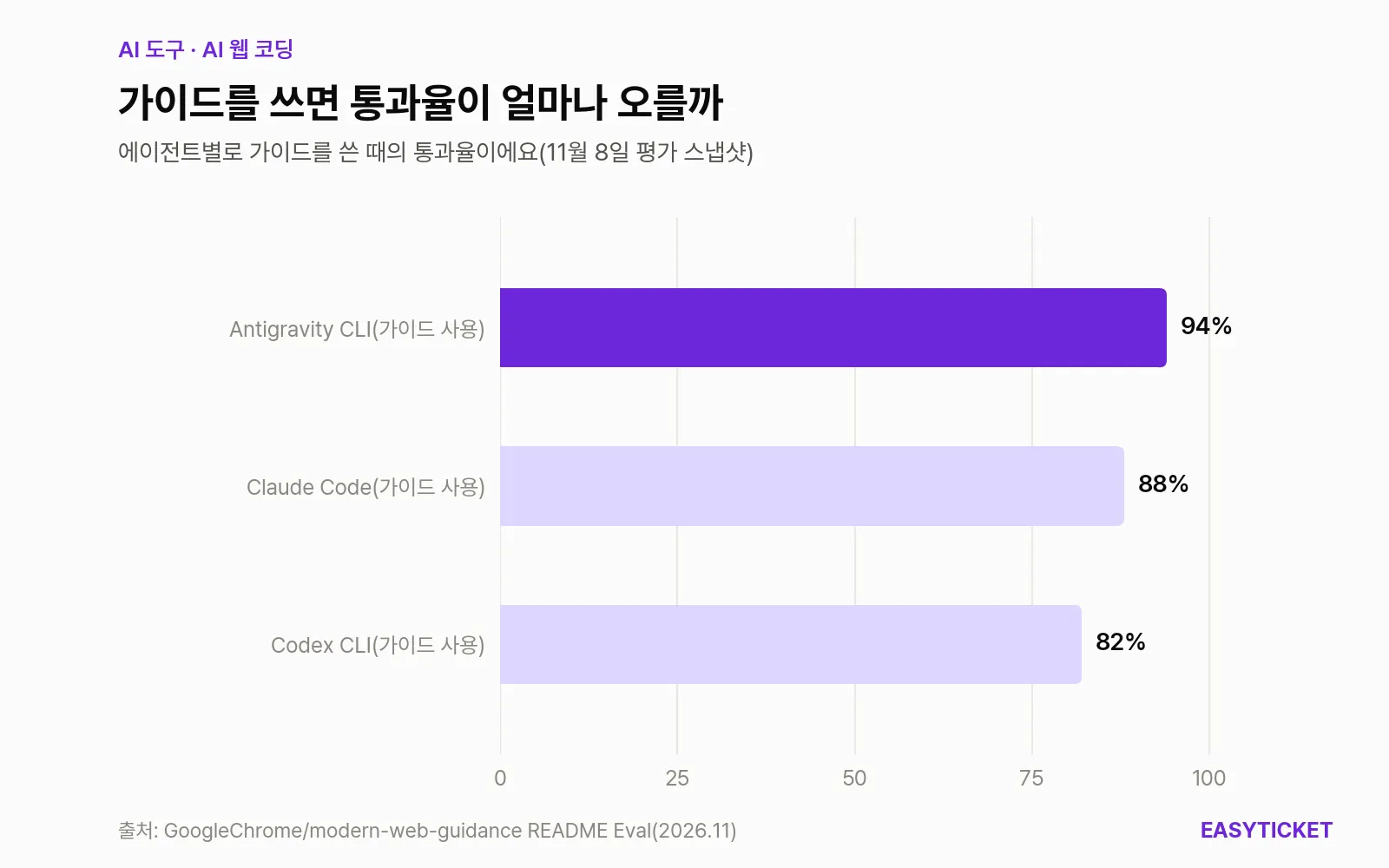
Pass rates by agent with the guides, from the README evaluation snapshot. Without the guides, all three scored in the 50% range.
The numbers vary a bit by source, though. The Hacker News introduction reported 55% to 92% across about 1,700 test items, and Search Engine Journal reported 56% to 88% in the nightly automated check on November 8. The measurement conditions differ, so it’s reasonable to take it as “an increase of around 30 percentage points.”
The 1.0 announcement also includes cases from outside the team that built it. Note, a Japanese blogging platform, saw its pass rate rise from 61% to 94% across 180 evaluations. MetaMask, the crypto wallet, attached it to a review bot that flagged 64 of about 480 pull requests. Engineers fixed 43 of those, and the median time to fix was 15 minutes.
When should you use Modern Web Guidance?
Opening the guide list shows where it is strong. It is divided by area: visual design, UI components (accordions, dialogs, tabs, toasts), forms, CSS, performance, accessibility, security (passkeys, Trusted Types), PWAs and built-in AI.
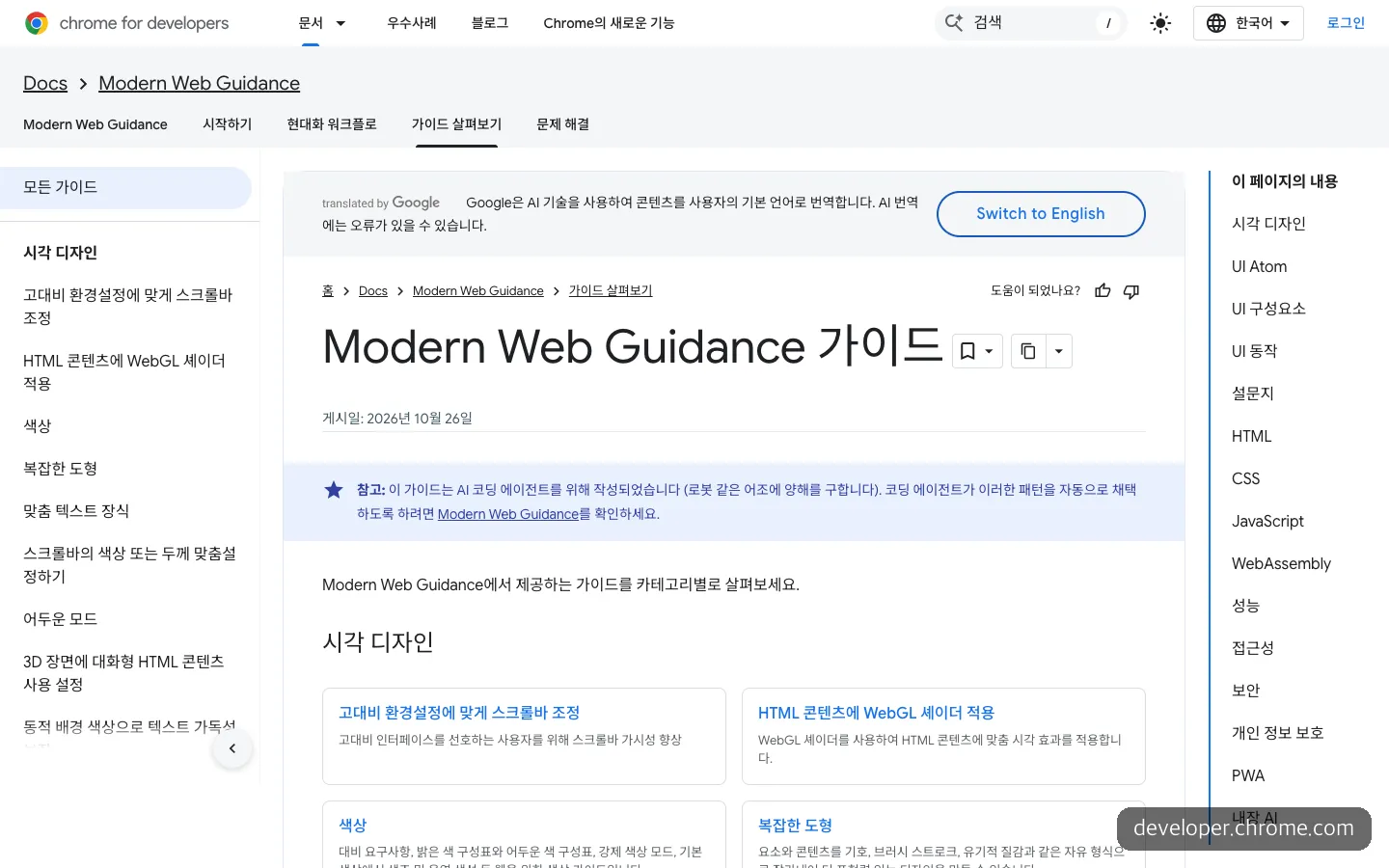
The guide list. It is divided by area, from visual design to security, accessibility and built-in AI.
It fits well in these cases.
- You often build modals, tooltips, tabs and dropdowns. The official docs’ examples include moving modals to
<dialog>and tooltips to the Popover API. Instead of installing one more library, a browser feature does the job. - You’re touching a site you’ve already built. The modernization feature added in 1.0 (legacy-scan) scans HTML, CSS, JS and package.json and finds places that can be changed safely.
- You’re adding login or security. There are guides for passkey (WebAuthn) login and a default CSP setup.
- You keep hearing that the page is slow. It includes guides on improving INP and LCP and on prefetching the next page when the mouse hovers over a link.
The guide texts are written for agents to read, not people. Opening the modal animation guide, it runs stiffly through implementation steps, example code, constraints and accessibility, and fallback strategies. What stood out is that the code includes handling for the “reduce motion” setting by default.
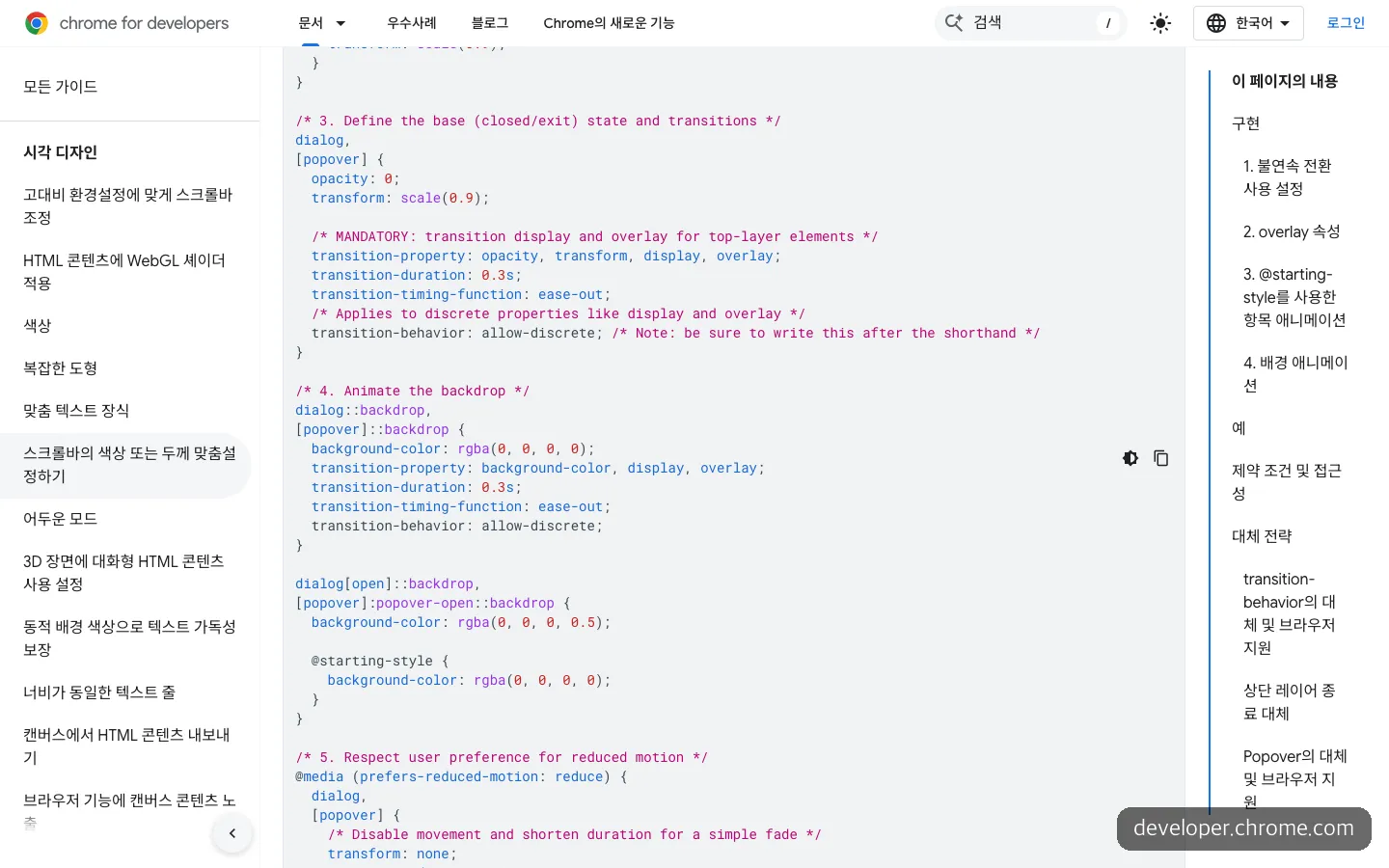
A CSS example from the modal animation guide. It even includes handling for the reduce motion setting.
There are also cases where it doesn’t fit. If your project is mostly server and data processing rather than screens, there aren’t many guides to draw on. You should also weigh situations where you need to save tokens. One Hacker News user reported that a single run cost about $5 in tokens, and another said legacy-scan found few problems in their code. The maintainers replied that they made the scan deliberately conservative and plan to widen its scope.
Installing and using it: prerequisites, commands and what to tell the AI
You need a coding agent and a Node.js environment that can run npx. According to the README, it runs offline with no API key or extra dependencies. The official pages didn’t state a minimum Node version.
The method the Get started doc recommends is the install wizard. Only this method turns on automatic updates, and the doc says most other install methods don’t support them.
npx modern-web-guidance@latest installIf you’d rather install it directly as an agent plugin, the commands in the docs are as follows.
# Claude Code
claude plugin install modern-web-guidance@claude-plugins-official

# Codex
codex plugin marketplace add GoogleChrome/modern-web-guidance
codex plugin add modern-web-guidance@googlechrome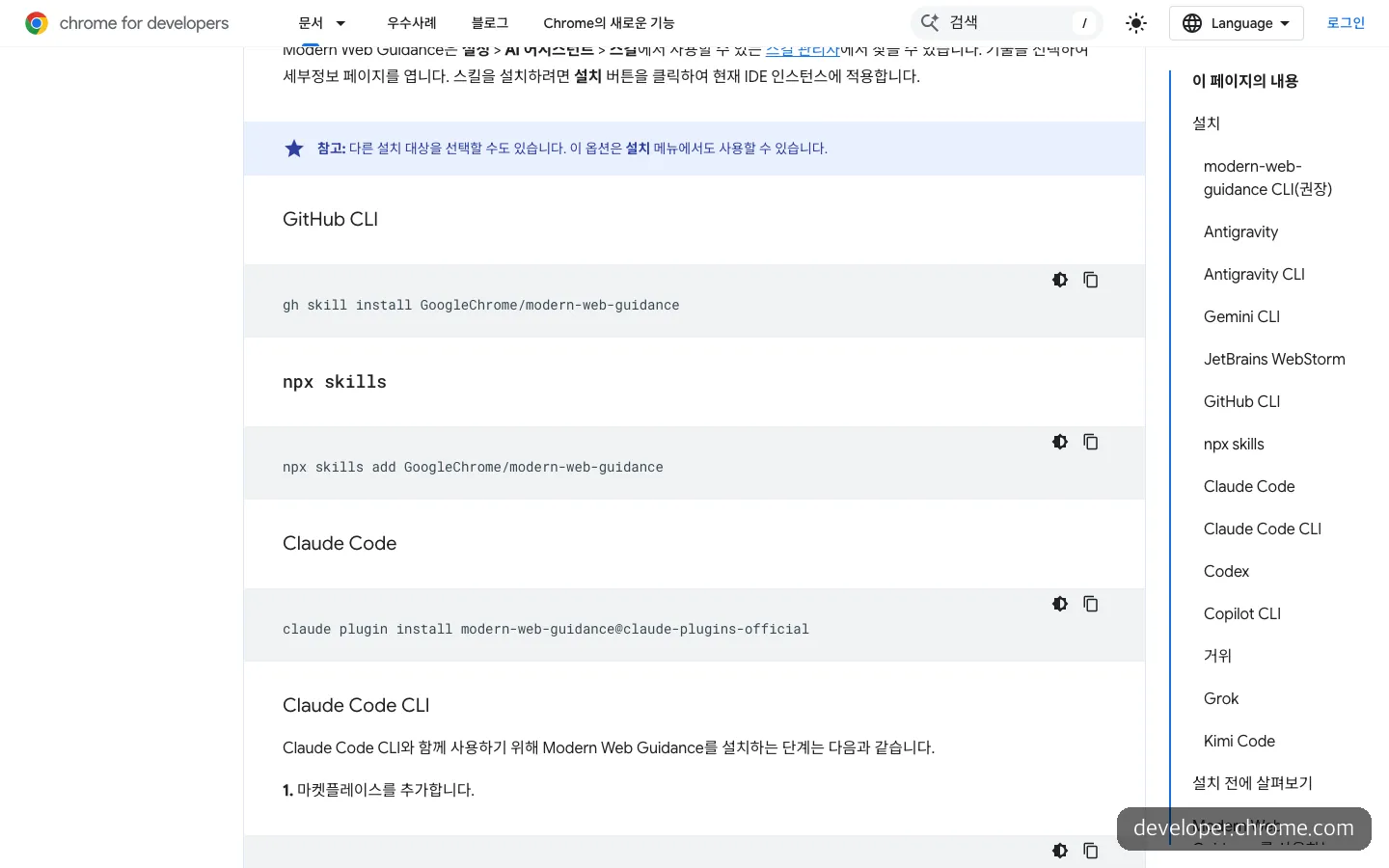
The per-agent install commands in the Get started doc. A copy button lets you grab them right away.
If you want to see which guides come up before installing, you can run a search without installing anything. The result comes back as JSON containing the guide ID, a description, the web features it uses and the token count.
npx modern-web-guidance@latest search "animate a dialog modal backdrop"After installing, there are two things to do. One is to set the range of browsers you support. Add a single line with your Baseline target to AGENTS.md or CLAUDE.md. If you don’t, the default is “Baseline Widely available” (features that have worked together in all major browsers for more than 30 months).
The other is the wording you use to put the agent to work. For the first request, ask it to run legacy-scan on the project with the modern-web-guidance skill and show you a list of places worth changing first. Then add that it should fix only the ones you pick, and that modals should be changed to the dialog element. In the second request, have it write your Baseline target (for example, Baseline 2024) in CLAUDE.md, then tell it that whenever it builds UI from now on, any feature outside that range should come with a fallback implementation.
The trick is adding “list first” to the first request. It gives you a chance to choose after seeing the scan results.
How it differs from similar tools
There are already a few tools that feed knowledge to coding agents. The three overlap less than they divide up the territory.
| Modern Web Guidance | Vercel agent-skills | Context7 | |
|---|---|---|---|
| What it tells the agent | Built-in browser features (HTML, CSS, web APIs) and compatibility | 100+ UI review rules, 40+ React and Next.js rules | Up-to-date docs and examples matched to each library’s version |
| Made by | Google Chrome (co-maintained by Edge, Firefox and MDN) | Vercel | Upstash |
| License | Apache 2.0 / docs CC-BY 4.0 | MIT | MIT |
| Login / key | Not needed, offline | One install command | OAuth login, API key recommended |
| GitHub stars (Nov. 12, 2026) | 5.5k | 33.9k | 64.6k |
If you build with React, installing both the Vercel skill and Modern Web Guidance makes sense. One covers framework habits, and the other covers the browser features underneath. The 1.0 announcement says the guides steer the code but can’t test how it actually behaves, and it recommends pairing them with Chrome DevTools for agents, which opens the page so you can check it directly.
What to weigh before installing
Concern about Chrome bias. This was the criticism raised most often on Hacker News. The worry is that Chrome-only APIs could become entrenched, and that some included features are missing from Firefox and Safari. According to Search Engine Journal, the six steering seats are split as Chrome 2, Edge 1, Mozilla 1 and independent experts 2, with no seat for Apple. On the other hand, the defaults are set to long-proven features and each guide has its own fallback strategy section, and some reactions saw this as reasonable.
Token cost. In the docs’ search example, a single guide runs about 1,000 to 2,700 tokens. If you read several per task, the cost adds up accordingly.
Usage data collection. According to a GeekNews (a Korean tech news site) summary, it collects anonymous usage data, and you can turn it off with the environment variable DISABLE_TELEMETRY=1. If you use it on company code, it’s safer to settle this setting first.
Still early in places. The 1.0 post itself says the modernization scan is static analysis that only looks at a fixed set of patterns. With only a few days since 1.0 came out, it’s better to change one screen at a time than to hand over a large codebase all at once.
The next time you need to hand a modal or tooltip to AI, put in the one-line install command first.
Frequently asked questions
Is Modern Web Guidance free?
Yes. The code is released under Apache 2.0 and the guides under CC-BY 4.0, and no API key is needed. However, the token cost of the AI tool you use goes up in proportion to how much the agent reads from the guides.
Can I use it with Cursor or Copilot?
According to the 1.0 announcement, you can get it from the plugin marketplaces of Claude Code, Codex, Cursor, Antigravity, Copilot, WebStorm, Kimi Code and Grok Build. The Get started doc also has install instructions for Gemini CLI and Goose.
Can a person read the guides directly?
The guide list and texts are public on the Chrome developer site, so anyone can view them. But they’re written for agents to read, so the prose is stiff, and they read more like a checklist than a manual for people.
Sources 8
- GoogleChrome/modern-web-guidance (GitHub)
- Get started with Modern Web Guidance – Chrome for Developers
- Modern Web Guidance 1.0 – Chrome for Developers Blog
- 15 updates from Google I/O 2026 – Chrome for Developers Blog
- Google Releases Modern Web Guidance 1.0 For AI Coding Agents – Search Engine Journal
- Show HN: Get your coding agent off ~2019 JavaScript, onto modern web primitives – Hacker News
- vercel-labs/agent-skills (GitHub)
- upstash/context7 (GitHub)
AI helped with research and the first draft; the operator tried the subject firsthand, checked and edited this article before publishing. Let us know if you spot a mistake.